Top 7 Cool Gadgets for Disabled Hands Reviewed for 2026
Discover the coolest gadgets for disabled hands in 2026. From the Sony Access Controller to the Uccello Kettle, explore unique adaptive tech for daily life.
The Engineering of Independence: Adaptive Tech Beyond the Basics
When standard ergonomic modifications fail, users with severe rheumatoid arthritis, cerebral palsy, spinal cord injuries (SCI), or upper-limb amputations require specialized hardware. The market for gadgets for disabled hands has evolved past simple foam grips and strap-on styluses. Today, assistive technology leverages 9-axis gyroscopes, modular magnetic circuits, and automated torque sensors to restore digital and physical autonomy. This guide examines highly specific, non-obvious adaptive devices that solve exact mechanical bottlenecks in daily computing, gaming, and kitchen navigation.
The 'Grip-First' Evaluation Framework
Before purchasing adaptive hardware, map the user's specific mechanical limitation to the device's actuation method:
- C5-C6 SCI / Quadriplegia: Requires zero-finger actuation. Prioritize sip/puff transducers, chin joysticks, or bite-switches.
- Severe Rheumatoid Arthritis (RA): Grip strength is compromised, but gross motor arm movement remains. Prioritize weighted cradles, tilt-mechanisms, and torque-multiplying motors.
- Hemiplegia / Stroke Recovery: Unilateral function only. Prioritize one-handed chorded inputs, split-controllers, and voice-macro integrations.
Digital Navigation: Bypassing the Standard Mouse
Standard trackballs require sustained wrist pronation and precise finger isolation, which is impossible for users with advanced carpal tunnel syndrome or muscular dystrophy. The following alternatives eliminate wrist dependency entirely.
GlassOuse V3 Pro (Head & Bite Control)
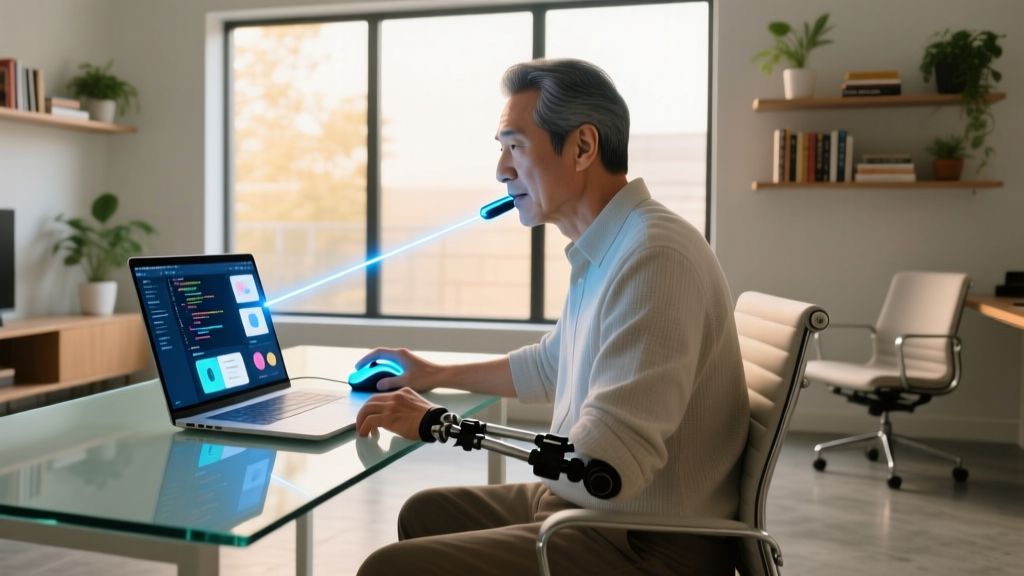
The GlassOuse V3 Pro operates as a Bluetooth 5.2 HID (Human Interface Device) that translates micro-head movements into cursor coordinates via an internal 9-axis gyroscope. The clicking mechanism relies on a medical-grade silicone bite switch. Unlike older iterations, the V3 Pro features adjustable bite sensitivity, requiring as little as 40 grams of pressure to register a click, preventing temporomandibular joint (TMJ) fatigue during extended use. Priced around $169, it pairs natively with iOS, Android, Windows, and macOS without requiring third-party driver installations.
QuadStick Orbit (Sip/Puff & Lip Actuation)
For users who cannot use a bite switch, the QuadStick Orbit ($399) utilizes a highly calibrated pressure transducer. Users execute commands via precise sip and puff air pressure thresholds, combined with a central lip-activated joystick. The Orbit model includes an internal microcontroller that stores up to four distinct gaming or productivity profiles, switchable via specific air-pressure sequences. It connects via USB-C or Bluetooth and is heavily utilized by the AbleGamers community for competitive FPS gaming, where latency must remain under 5ms.
Adaptive Gaming: Unrestricted Play
Mainstream gaming controllers demand simultaneous two-handed grip, trigger depression, and dual-stick manipulation. Adaptive controllers dismantle this requirement by separating inputs into modular, positionable components.
Sony Access Controller for PS5
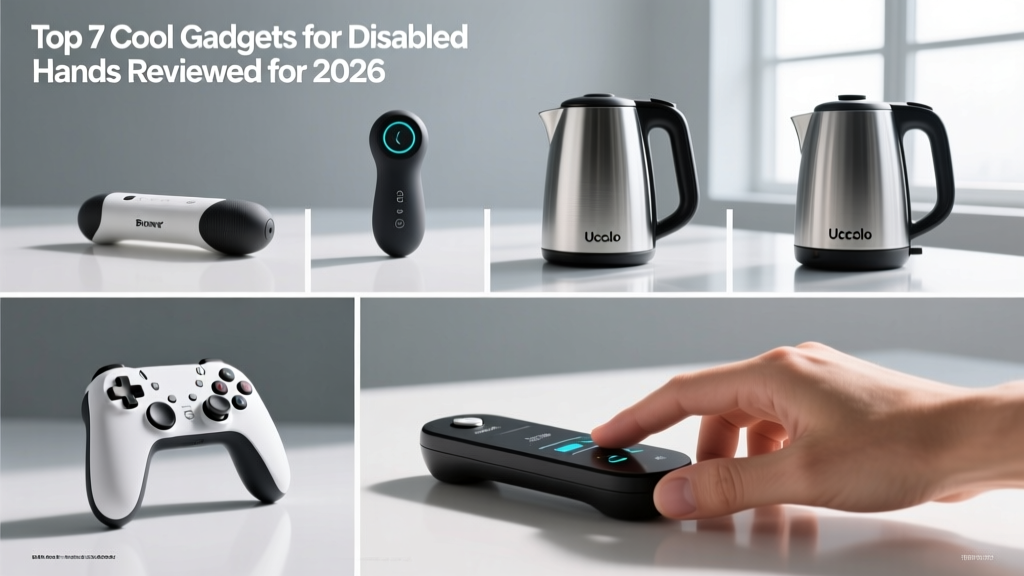
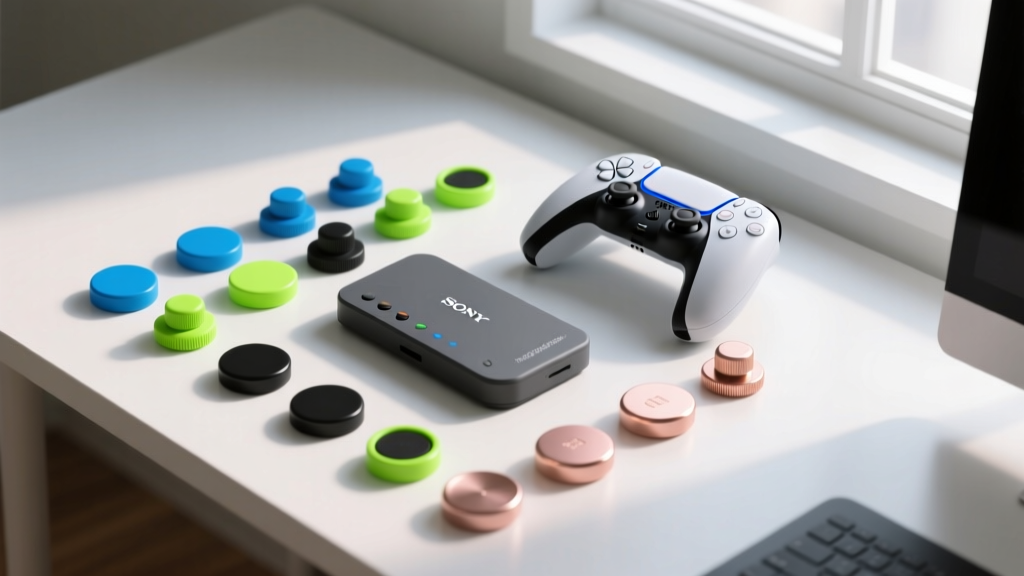
Retailing at $89, the Sony Access Controller (formerly Project Leonardo) is a split, circular controller designed for extreme customization. The hardware features 19 interchangeable button caps (including flat, knob, and wide-pillow shapes) and four 3.5mm AUX ports. These AUX ports are the critical E-E-A-T detail: they allow users to plug in third-party accessibility switches, such as jelly bean buttons or foot pedals, directly into the PlayStation ecosystem without a middleware adapter. The two halves can be locked together or separated and mounted to wheelchair trays using standard AMPS hole-pattern brackets.
ByoWave Proteus Modular Kit
The ByoWave Proteus ($299) abandons the traditional controller shape entirely. It consists of snap-together, 3D-printable cubes containing individual buttons, D-pads, and joysticks. Users can build a controller that fits the exact contour of their hand or mount individual cubes to a desk for elbow or chin activation. The kit connects via Bluetooth and includes a Windows/Xbox companion app for deep macro programming, allowing a single button press to execute complex in-game combos.
Kitchen Independence: Heat and Torque Solutions
The kitchen presents two primary hazards for limited hand mobility: thermal burns from dropping heavy, boiling liquids, and joint damage from applying rotational torque to vacuum-sealed jars.
Uccello Tipper Kettle
Lifting a 1.5-liter kettle full of boiling water requires approximately 1.8kg of grip strength and severe wrist extension. The Uccello Kettle ($95) solves this by seating the kettle inside a weighted, non-slip cradle. The user simply tilts the kettle forward using a soft-touch silicone handle or the push-lever on the side. The cradle catches the returning weight, and the 360-degree rotating base ensures the spout can be positioned over any mug without lifting the unit. According to occupational therapy guidelines referenced by the Arthritis Foundation, eliminating the lifting phase reduces wrist joint compression by over 80%.
RoboTwist Automatic Jar Opener
Manual jar openers rely on friction and leverage, which still demand baseline grip strength. The RoboTwist ($35) is an automated, sensor-driven torque multiplier. Placed over a jar lid (accommodating diameters from 1.5 to 3.5 inches), the user simply taps the top sensor. The internal gear motor applies a continuous, high-torque rotational force while the rubberized grip ring locks the jar base in place. It runs on four AA batteries, yielding roughly six months of daily use before replacement is needed.

Spec & Pricing Comparison Matrix
| Device | Primary Actuation | Target Limitation | Est. Price (2026) |
|---|---|---|---|
| GlassOuse V3 Pro | Head tilt + Bite switch | SCI, ALS, Amputation | $169 |
| QuadStick Orbit | Sip/Puff + Lip joystick | C4-C6 SCI, SMA | $399 |
| Sony Access Controller | Modular buttons + 3.5mm AUX | Hemiplegia, RA, CP | $89 |
| ByoWave Proteus | Snap-together cubes | Custom unilateral needs | $299 |
| Uccello Kettle | Weighted tilt cradle | Severe RA, Grip weakness | $95 |
| RoboTwist Opener | Automated gear torque | Osteoarthritis, Neuropathy | $35 |
Navigating Insurance and Assistive Tech Grants
High-end gadgets for disabled hands, particularly computing and gaming interfaces, are rarely covered by standard health insurance under 'durable medical equipment' (DME) codes. However, funding pathways exist. Vocational Rehabilitation (VR) agencies frequently approve devices like the QuadStick or GlassOuse under 'workplace accommodation' mandates if the user is employed or seeking employment. For gaming hardware, organizations like RESNA (Rehabilitation Engineering and Assistive Technology Society of North America) maintain directories of state-level Assistive Technology Act Programs (ATAPs) that offer equipment lending libraries and micro-grants.
Pro-Tip for Funding Requests: When submitting a Letter of Medical Necessity (LMN) for a device like the Uccello Kettle, do not classify it as a 'kitchen appliance.' Have your Occupational Therapist classify it as a 'thermal injury prevention device for activities of daily living (ADL),' which drastically increases the approval rate through Medicare Advantage and private DME riders.
Final Configuration Advice
Hardware is only half the solution. To maximize the utility of these gadgets, pair them with native OS accessibility layers. For example, combine the GlassOuse V3 with Windows Eye Control or macOS Dwell Typing to eliminate the need for continuous bite-switching during text entry. Similarly, pair the Uccello Kettle with a smart plug (like the Kasa EP25) and a voice assistant, allowing users to boil water via vocal command without ever needing to reach for the physical power switch on the base.
Written by
Ryan TanakaRyan Tanaka holds a B.S. in Mechanical Engineering from Oregon State University and is a certified AWS Solutions Architect. He has built over 80 custom electronics projects ranging from CNC machines to IoT sensor networks, and has reviewed development boards, 3D printers, soldering equipment, and maker tools for the past 6 years. Ryan is an active contributor to 12 open-source hardware projects on GitHub and teaches monthly workshops at three hackerspaces across the Pacific Northwest. His reviews combine engineering rigor with accessibility — he evaluates products not just on specs but on documentation quality, community support, and learning curve for beginners. He has presented at Maker Faire Bay Area, Open Hardware Summit, and the Adafruit community showcase, and maintains a popular blog documenting his build processes.