Beginner vs Expert: Picking Awesome Desk Gadgets for Your Setup
Discover the best awesome desk gadgets for your workspace. We compare beginner essentials against expert-tier upgrades for maximum productivity.
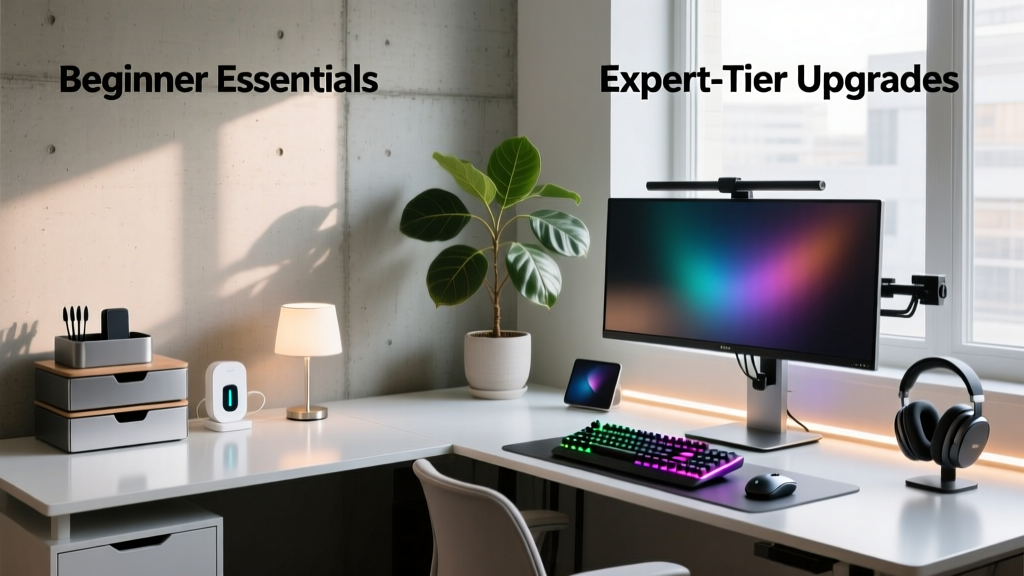

The Workspace Evolution: Where Do You Stand?
When building a home office in 2026, the market for awesome desk gadgets is more saturated than ever. However, there is a fundamental philosophical divide between how beginners and experts approach desk accessories. Beginners typically buy gadgets that look cool or solve a single, surface-level annoyance. Experts, on the other hand, engineer their workspaces to reduce cognitive load, eliminate micro-frictions, and optimize physical ergonomics over 10-hour workdays.
Whether you are assembling your first dedicated work-from-home nook or upgrading a seasoned command center, understanding this divide is crucial. In this guide, we break down the exact hardware, pricing, and spatial geometry that separates a novice setup from a masterclass in productivity.
Beginner Tier: Foundational Awesome Desk Gadgets
The beginner phase is all about high-ROI, low-complexity upgrades. You are moving away from the dining table and establishing a dedicated zone. The goal here is to fix glaring ergonomic and organizational flaws without requiring a degree in IT or carpentry.
1. Reclaiming Real Estate: Gas-Spring Monitor Arms
Novices often rely on the bulky, static stands included with their monitors, which consume up to 144 square inches of prime desk real estate per screen. The entry-level fix is a gas-spring arm like the ErGear Dual Monitor Arm (EG-DS220), priced at roughly $45. It supports VESA 75/100 patterns and handles weights between 4.4 and 14.3 lbs. By lifting your screens, you instantly align the top bezel with your eye level—a non-negotiable rule according to the Cornell University Ergonomics Web—while freeing up space for notebooks and peripherals.
2. Acoustic and Tactile Grounding: Premium Desk Mats
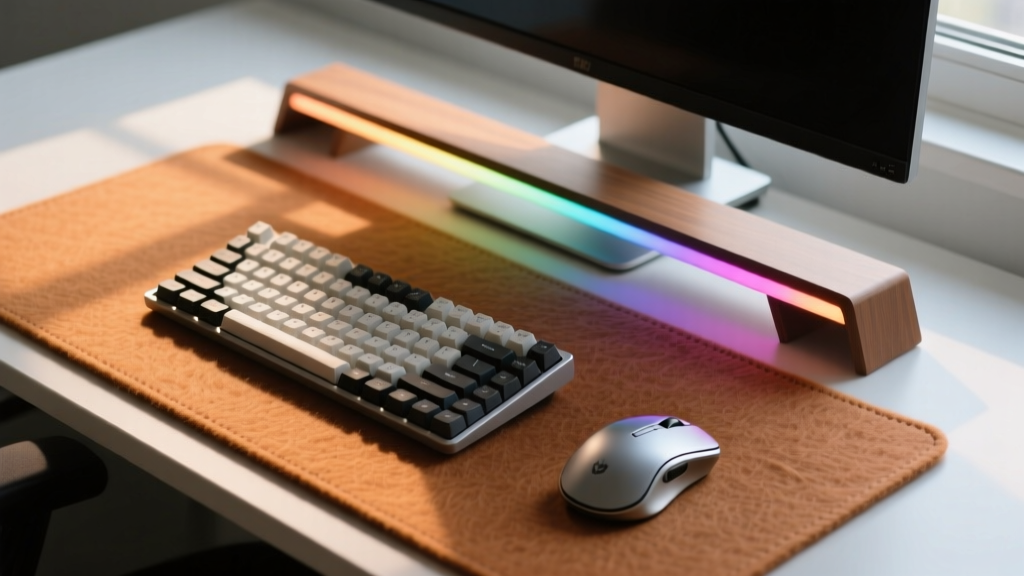
A bare MDF or glass desk reflects sound and feels harsh during long typing sessions. Beginners should invest in the Grovemade Wool Felt Desk Pad ($120). Measuring 36x18 inches, this pad uses 100% natural wool felt backed by vegetable-tanned leather. It provides immediate acoustic dampening for loud mechanical keyboards and creates a unified visual boundary for your mouse and keyboard zone, anchoring your workspace psychologically.
3. Basic Power Routing: Under-Desk Cable Trays
Cable clutter is the hallmark of an amateur setup. A simple $25 mesh under-desk cable tray (like the IKEA SIGNUM or generic Amazon equivalents) allows you to hide power strips and adapter bricks. Paired with a basic $15 Velcro tie kit, it removes visual noise, which studies show directly correlates to reduced focus and elevated cortisol levels.
Expert Tier: High-Performance Awesome Desk Gadgets
Experts don't just want a clean desk; they want a responsive environment. The expert tier focuses on telemetry, automation, and micro-adjustments that adapt to the user's biological and workflow needs in real-time.
1. Photometric Precision: Asymmetric Task Lighting
While beginners might clip a generic LED strip to their shelf, experts understand the physics of screen glare and pupil fatigue. The BenQ ScreenBar Halo ($179) is the gold standard. It utilizes a patented asymmetric optical design that projects 300 lux of illumination directly onto your desk at a 2700K-6500K adjustable color temperature, without casting a single lumen onto your monitor. It also features a back-fill ambient light to balance the contrast ratio between your bright screen and the dark wall behind it, drastically reducing eye strain. The included wireless puck controller features an anodized aluminum dial for frictionless adjustments.
2. Macro Execution & Haptic Control: Stream Deck +
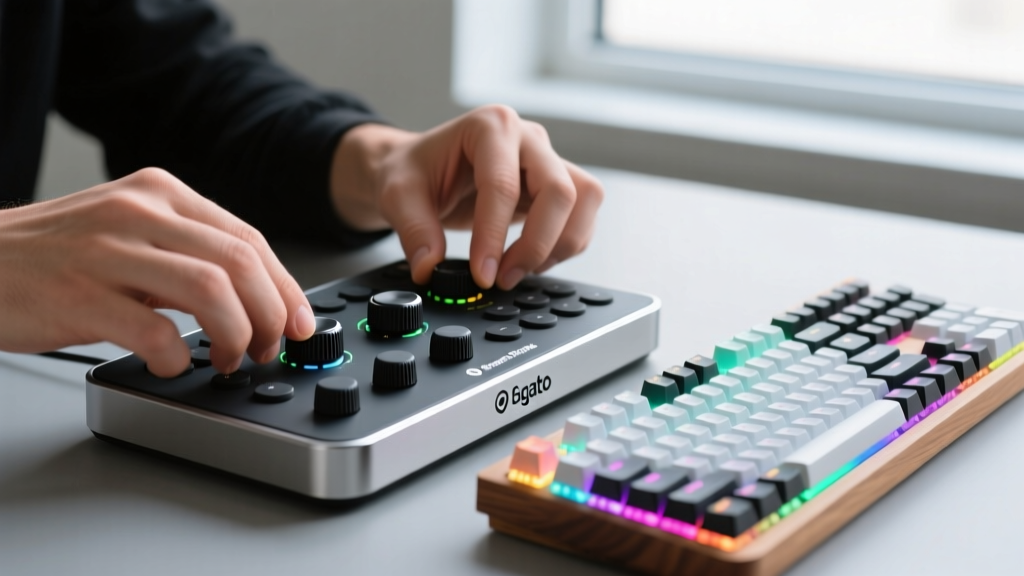
The Elgato Stream Deck + ($199) is often misunderstood as a tool exclusively for Twitch streamers. In an expert's home office, it is a centralized workflow accelerator. With 15 customizable LCD keys and 4 haptic rotary dials, experts use it to execute complex Adobe Premiere macros, toggle multi-track audio routing, manage smart home climate scenes, and track live API server statuses. The haptic dials provide physical feedback for digital tasks, bridging the gap between software and tactile muscle memory.
3. Biometric Posture Enforcement: AI-Integrated Smart Desks
In 2026, standing desks have evolved. The Autonomous SmartDesk Pro (AI Edition) ($899) features built-in ultrasonic sensors and weight distribution telemetry. Instead of relying on a manual timer to remind you to stand, the desk's companion app analyzes your sitting posture and micro-movements, automatically initiating a whisper-quiet dual-motor lift to a pre-calculated ergonomic height when it detects physical stagnation or spinal slouching. This aligns with OSHA Ergonomics Guidelines regarding dynamic workstations.
Head-to-Head Comparison Matrix
How do these tiers actually stack up when you factor in cost, setup time, and long-term utility? Review the matrix below to see where your budget should be allocated.
| Feature / Metric | Beginner Tier Approach | Expert Tier Approach |
|---|---|---|
| Lighting Strategy | Symmetric LED strips ($30) | Asymmetric optical engines ($179) |
| Workflow Automation | Keyboard shortcuts & mouse clicks | Haptic dials & LCD macro decks ($199) |
| Ergonomic Adjustability | Manual gas-spring arms ($45) | Telemetry-driven AI standing desks ($899) |
| Setup Complexity | Low (Plug-and-play / basic clamping) | High (API integrations / network routing) |
| Primary ROI | Aesthetics and basic space reclamation | Cognitive load reduction and fatigue mitigation |
The 'Upgrade Path' Decision Framework
Should you jump straight to the expert tier? Not necessarily. Throwing $1,500 at a desk won't fix a broken workflow. Use this 3-step framework to decide when to upgrade your awesome desk gadgets:
- Step 1: Identify the Friction Point. Track your workday for 48 hours. Note every time you break focus to adjust a window, reach for a cable, or rub your eyes. Friction is the enemy of deep work.
- Step 2: Measure the Frequency. If you adjust your monitor height once a week, a manual $45 arm is sufficient. If you switch between sitting, standing, and drafting angles five times a day, the $899 AI desk pays for itself in saved time and joint health within six months.
- Step 3: Calculate Automation ROI. A Stream Deck + costs $199. If it saves you just 4 minutes a day through macro execution (e.g., auto-launching your IDE, opening specific browser tabs, and setting your Slack status to 'Focus'), you recoup the cost in billable hours within a single month.
The Golden Rule of Desk Gadgets: Never buy a piece of technology to solve a problem that can be solved by a change in habit. Buy technology to eliminate the friction of maintaining that habit. As noted in research regarding Wirecutter's Best Monitor Arms, the best hardware becomes invisible, allowing you to focus entirely on the work itself.
Frequently Asked Questions
Are expensive desk gadgets worth it for casual users?
If you spend less than 15 hours a week at your desk, the beginner tier provides 90% of the benefits for 20% of the cost. Focus on a good chair, a monitor arm, and proper lighting before investing in haptic macro decks or AI-driven furniture.
How do I manage cables for motorized standing desks?
Experts use a combination of a centralized under-desk cable spine (like the IKEA RATIONELL) and braided cable sleeves. Because the desk moves up to 25 inches, you must leave a 'service loop' of slack in your power and display cables to prevent them from snapping or unplugging at maximum height.
What is the ideal color temperature for office lighting in 2026?
Circadian rhythm optimization is key. Set your BenQ ScreenBar or smart bulbs to 5000K-6500K (cool daylight) during the morning and early afternoon to suppress melatonin and boost alertness. Transition to 2700K-3000K (warm white) after 6:00 PM to prepare your brain for sleep.
Final Thoughts
The journey from a novice workspace to an expert command center isn't about buying the most expensive items; it's about intentional curation. The best awesome desk gadgets are the ones that seamlessly integrate into your daily rhythm, supporting your posture, protecting your vision, and accelerating your output. Start with the foundational basics, identify your unique friction points, and upgrade strategically as your workflow demands.
Written by
Marcus WebbMarcus Webb served as a U.S. Army logistics officer for 8 years, where he managed field equipment procurement and tactical gear evaluation across three combat deployments. After honorable discharge, he earned a certification from the Professional Knife Makers Association and became a certified Wilderness First Responder (WFR). Marcus has tested over 500 EDC products in extreme environments — from -40°F in Alaska to 120°F in the Mojave Desert — using military-spec testing protocols. His reviews of multi-tools, tactical flashlights, and survival gear are known for their rigorous methodology: controlled drop tests from 6 feet, 120-minute water submersion at 2 meters, and lateral torque testing at 45 Nm. He is a member of the Blade Show judging panel and contributes to OutdoorGearLab.