7 Best Budget Gadget Gifts for Home Offices in 2026
Discover the best budget gadget gifts for home offices in 2026. Upgrade any remote workspace with these top tech picks under $50.
The 2026 Remote Workspace: Why Budget Gadgets Win
Equipping a home office no longer requires dropping hundreds of dollars on single peripherals. The accessory market has matured drastically, meaning sub-$50 gadget gifts now offer build quality and features that rivaled premium tiers just three years ago. Whether you are shopping for a remote-working spouse, a college student building their first dorm desk, or treating yourself to a workspace refresh, the key is targeting high-impact, low-cost upgrades that solve specific ergonomic or connectivity pain points.
This roundup focuses strictly on practical utility. We have filtered out novelty items and cheaply manufactured traps to bring you five highly specific, budget-friendly gadget gifts that deliver measurable improvements to daily productivity.
Quick Comparison Matrix: Top 5 Home Office Gadget Gifts Under $50
| Gadget | Price (2026) | Primary Use Case | Key Spec | Best For |
|---|---|---|---|---|
| Logitech Pebble Keys 2 K380s | $39.99 | Multi-device typing | Bluetooth 5.1, 3-device pairing | Tablet/Phone/Laptop switchers |
| Nulaxy C1 Laptop Stand | $25.99 | Ergonomic elevation | Adjustable 2.1' to 5.9' height | Neck strain relief |
| Anker 341 USB-C Hub (7-in-1) | $29.99 | Connectivity expansion | 4K@30Hz HDMI, 100W PD | Ultrabook & MacBook users |
| Govee RGBIC Desk Light Bars | $44.99 | Ambient bias lighting | Wi-Fi/Bluetooth, Music Sync | Streamers & night owls |
| FIFINE AmpliGame A8 Mic | $33.99 | Vocal clarity on calls | 192kHz/24-bit, Cardioid | Frequent Zoom/Teams callers |
Deep Dive: The Best Budget Gadget Gifts for 2026
1. Logitech Pebble Keys 2 K380s ($39.99)
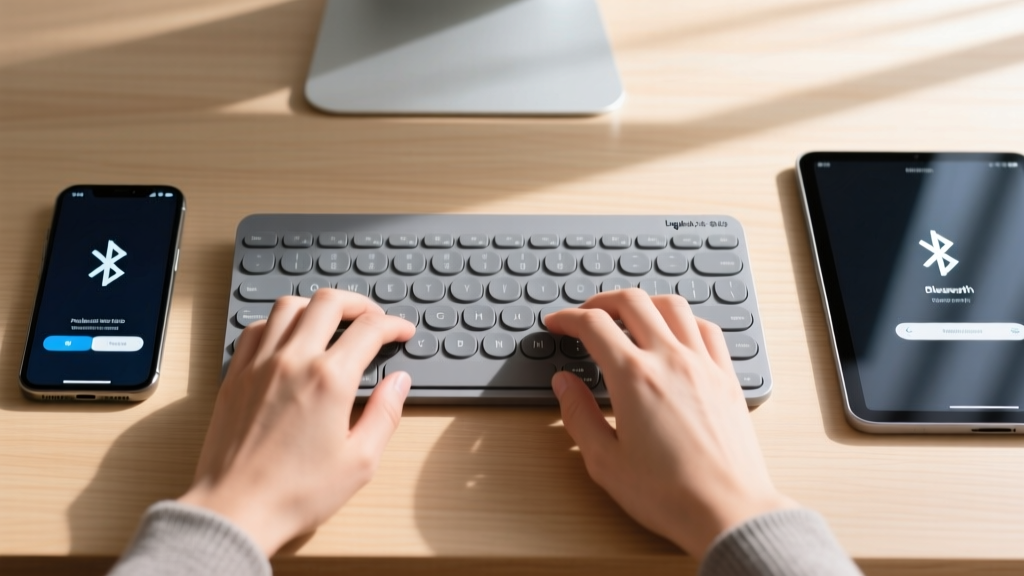
The K380s remains the undisputed king of budget multi-device keyboards. Its circular keycaps take roughly 48 hours of muscle-memory adjustment, but the payoff is a highly portable, ultra-quiet membrane board that connects to three devices simultaneously via Bluetooth 5.1. Switching between a Windows laptop, an iPad, and an Android phone requires a single tap on the F1-F3 keys.
Pros: 24-month battery life on standard AAA batteries; extremely quiet typing profile; seamless Logitech Flow integration.
Cons: Zero backlighting; the compact layout removes the number pad, which is a dealbreaker for heavy data-entry professionals.
2. Nulaxy C1 Ergonomic Laptop Stand ($25.99)
Laptops are inherently anti-ergonomic. The Nulaxy C1 is a foldable, aluminum-alloy stand that elevates your screen to eye level, drastically reducing cervical spine flexion. According to ergonomic guidelines from the Mayo Clinic, keeping your monitor at or slightly below eye level is critical for preventing chronic neck and shoulder pain. The C1 supports up to 17-inch laptops and features a hollowed-out center for passive thermal management.
Edge Case Warning: The C1 wobbles slightly if you type directly on the laptop's built-in keyboard. This stand is strictly meant to be paired with an external keyboard and mouse (like the K380s above) for a stable experience.
3. Anker 341 USB-C Hub 7-in-1 ($29.99)
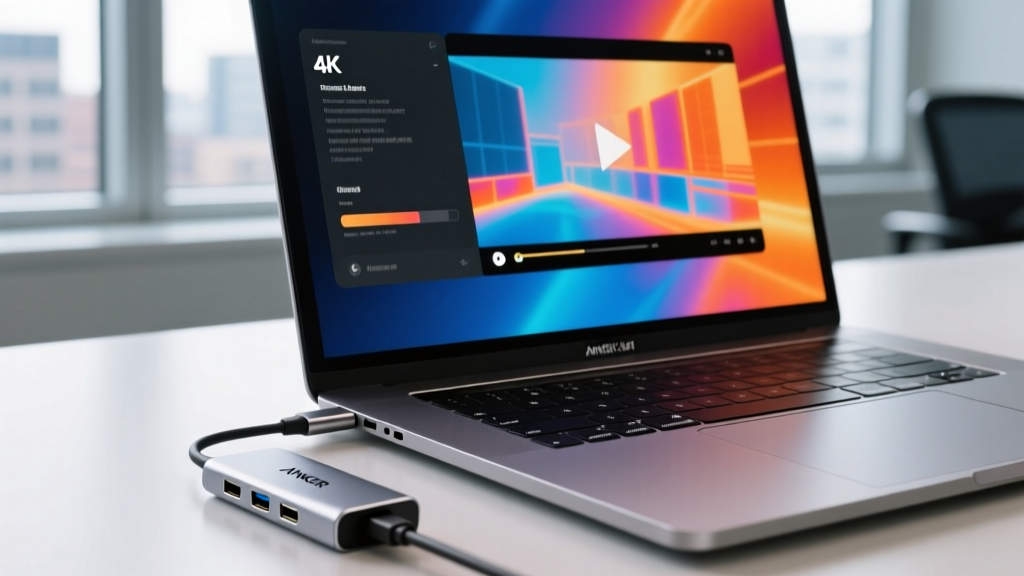
Modern ultrabooks sacrifice ports for thinness, leaving users stranded without HDMI or legacy USB-A connections. The Anker 341 solves this with a braided nylon tether and an aluminum chassis. It supports 4K output at 30Hz via HDMI, 100W Power Delivery pass-through charging, and 5Gbps data transfer on its USB-A ports.
Thermal Note: The metal casing of the Anker 341 will become noticeably warm (up to 115°F / 46°C) during heavy data transfers or 4K display output. This is by design; the aluminum shell acts as a passive heat sink to pull thermal load away from the internal controller chips. It is safe to touch and indicates the hub is functioning correctly.
4. Govee RGBIC Smart Desk Light Bars ($44.99)
Bias lighting reduces eye strain when working in dim environments by balancing the contrast between a bright monitor and a dark room. This 4-bar kit mounts to the back edge of your desk or monitor, casting an RGBIC (independent multi-color) wash against the wall. The Govee Home app allows for complex scene building and music reactivity.
Troubleshooting Tip: Setup failures with Govee devices almost always stem from network band mismatches. As noted in FCC guidelines on Wi-Fi frequencies, smart home IoT devices require the 2.4GHz band for initial handshake and wall penetration. If your router uses a unified SSID for 2.4GHz and 5GHz, temporarily disable the 5GHz band in your router settings during the 3-minute Govee pairing window.
5. FIFINE AmpliGame A8 USB Microphone ($33.99)
Laptop microphones capture the clatter of your keyboard and the echo of your room. The FIFINE A8 is a plug-and-play USB condenser mic that samples at 192kHz/24-bit, providing broadcast-level warmth to your voice on Teams and Zoom calls. The physical tap-to-mute button on the top is a massive quality-of-life feature for sudden interruptions.
Failure Mode: Because it is a highly sensitive condenser mic, placing the A8 directly on the desk using its included mini-tripod will result in deafening thuds every time you type or bump the desk. Budget an extra $12 for a basic suspension boom arm to isolate the mic from structural vibrations.
The 'Do Not Buy' List: Cheap Tech Traps to Avoid
When hunting for budget gadget gifts, certain categories are riddled with e-waste. Avoid gifting these items regardless of how low the price drops:
- No-Name 3-in-1 Wireless Chargers: Sub-$20 charging pads often lack proper foreign object detection (FOD) and thermal throttling, which can permanently degrade the battery health of a $1,000 smartphone.
- Ultra-Cheap Mechanical Keyboards: Keyboards under $30 often use counterfeit or unbranded switches with severe latency issues and rattling stabilizers, making them worse than standard membrane boards.
- Generic 'Blue Light' Glasses: Unless they feature verified spectral transmission data, most cheap tinted glasses do nothing to block the specific 400-450nm wavelength associated with digital eye strain. Stick to software solutions like f.lux or Windows Night Light instead.
How to Wrap and Present Tech Gifts
Tech gadgets often come in frustrating, hard-plastic clamshell packaging that ruins the unwrapping experience. Follow this protocol for a premium presentation:
- Unbox and Remove Clamshells: Carefully extract the device and discard the harsh plastic retail packaging.
- Cable Management: Use velcro ties to neatly coil any included USB cables. Do not use twist ties, which can kink and damage internal copper wiring.
- Use a Matte Gift Box: Place the gadget and neatly coiled cables into a rigid, matte-finish gift box with tissue paper.
- Include a Setup QR Code: Print a small card with a QR code linking directly to the manufacturer's YouTube setup tutorial. This eliminates the frustration of reading dense, poorly translated paper manuals.
Frequently Asked Questions
Q: Are budget Bluetooth keyboards secure for entering sensitive work passwords?
A: Yes. Modern Bluetooth 5.1+ protocols utilize AES-128 encryption during the pairing and transmission process, making them highly secure against casual packet sniffing in a home environment.
Q: Will a 100W USB-C hub charge my laptop at full speed?
A: The hub itself consumes about 10W-15W to power its internal controller. If you plug a 100W wall charger into the hub's PD pass-through port, your laptop will receive roughly 85W, which is sufficient to fast-charge almost all 13-inch and 14-inch ultrabooks under load.
Written by
Tom ReynoldsTom Reynolds holds a CFA (Chartered Financial Analyst) designation and a B.S. in Finance from the University of Texas at Austin. Before entering tech journalism, he spent 6 years as a quantitative analyst at a hedge fund, building cost-benefit models for consumer product investments. Tom has maintained a proprietary database of over 10,000 tech deals for the past 8 years, developing his signature "penny-per-feature" evaluation framework that calculates the true value proposition of every gadget. His budget gadget reviews are known for their financial rigor — he tracks price history across 15+ retailers, calculates cost-per-use over 3-year lifespans, and identifies the exact inflection point where premium features justify their markup. Tom's deal alerts have saved his readers an estimated .3 million since 2018.