7 Cool Home Gadgets That Solve Real Workspace Problems in 2026
Discover 7 cool home gadgets for 2026 that solve real home office problems, from cable management to ergonomic fatigue, with exact models and pricing.
Most lists of cool home gadgets focus on novelty items that gather dust after a week. An RGB levitating moon lamp looks great on camera, but it does nothing to improve your actual workflow. If you spend eight hours a day at a desk, your gear must solve tangible physical and cognitive problems. This guide strips away the gimmicks and focuses strictly on high-ROI workspace upgrades that address specific pain points, complete with exact model numbers, current pricing, and technical specifications.
1. The Clutter Crisis: Reclaiming Vertical Desk Space
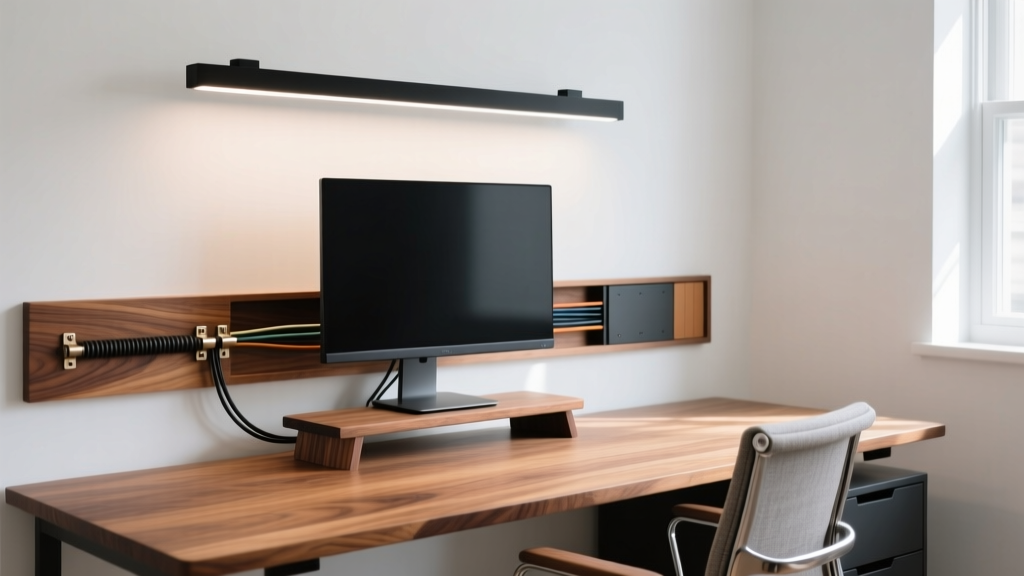
Cable spaghetti and peripheral clutter destroy focus and make cleaning impossible. The solution is not buying more desk organizers; it is elevating your primary workspace. The Grove Made Walnut Desk Shelf ($149–$199) solves this by raising your monitor to the correct ergonomic height while creating a hidden cavity underneath for keyboards, mice, and charging bricks.
Unlike MDF or plastic alternatives, the solid walnut and aluminum construction supports up to 40 lbs, easily handling heavy ultrawide monitors without sagging over time.
2. Screen Glare and Eye Strain from Overhead Lighting
Overhead room lighting creates screen glare, while standard desk lamps cast harsh shadows and wash out your monitor's contrast. Monitor light bars solve this, but cheap models use symmetrical optics that blast light directly onto your screen, worsening the problem.
| Model | Price | CRI | Optics Design | Glare Control |
|---|---|---|---|---|
| BenQ ScreenBar Halo | $109 | 95 | Asymmetrical | Excellent (Zero screen wash) |
| Xiaomi Mi Light Bar 1S | $55 | 90 | Symmetrical | Poor (Noticeable screen wash) |
| Baseus LED Clip Lamp | $25 | 80 | Symmetrical | Terrible (High reflection) |
The BenQ ScreenBar Halo ($109) uses a patented asymmetrical optical design that illuminates a 50cm x 30cm area of your desk at 500 lux without a single lumen hitting the monitor panel. Its CRI (Color Rendering Index) of 95 ensures that physical documents and color swatches on your desk look identical to their digital counterparts.
3. The "Tech Neck" Epidemic and Posture Degradation
According to the Mayo Clinic's Office Ergonomics Guide, forward head posture increases the effective weight of your head on your cervical spine from 10 lbs to up to 60 lbs at a 60-degree angle. Standing desks help, but they do not stop you from slouching when fatigued.
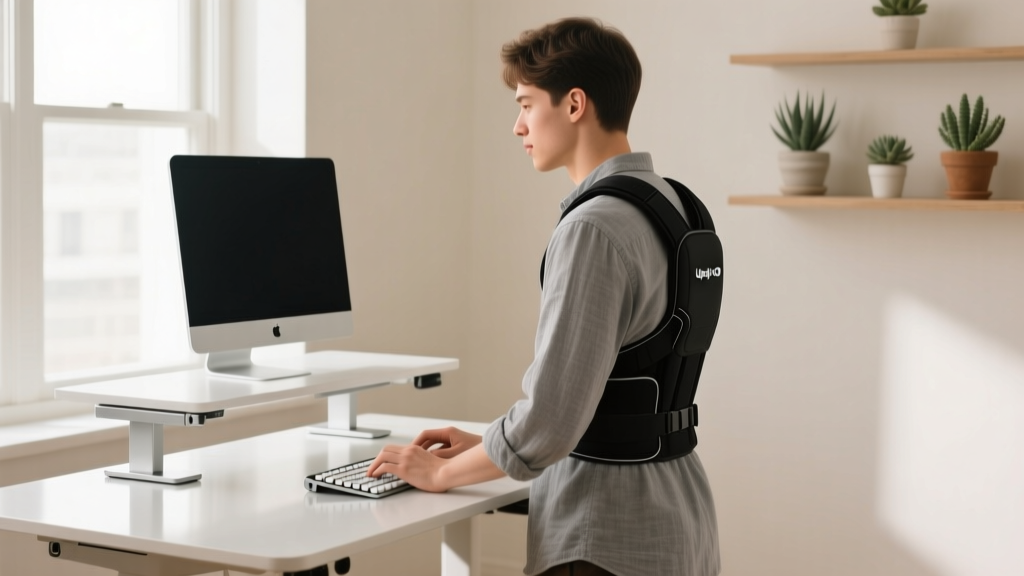
The Upright GO 2 ($79) is a wearable biofeedback device that adheres to your upper back. Using an internal accelerometer, it detects when your spine deviates more than 15 degrees from your calibrated upright baseline. Instead of relying on passive braces that weaken your core muscles over time, it delivers a gentle vibration, forcing you to actively engage your postural muscles. The 10-hour battery life easily covers a full workday, and the companion app tracks your "slouch time" to identify fatigue patterns.
4. Afternoon Brain Fog and Stale Air
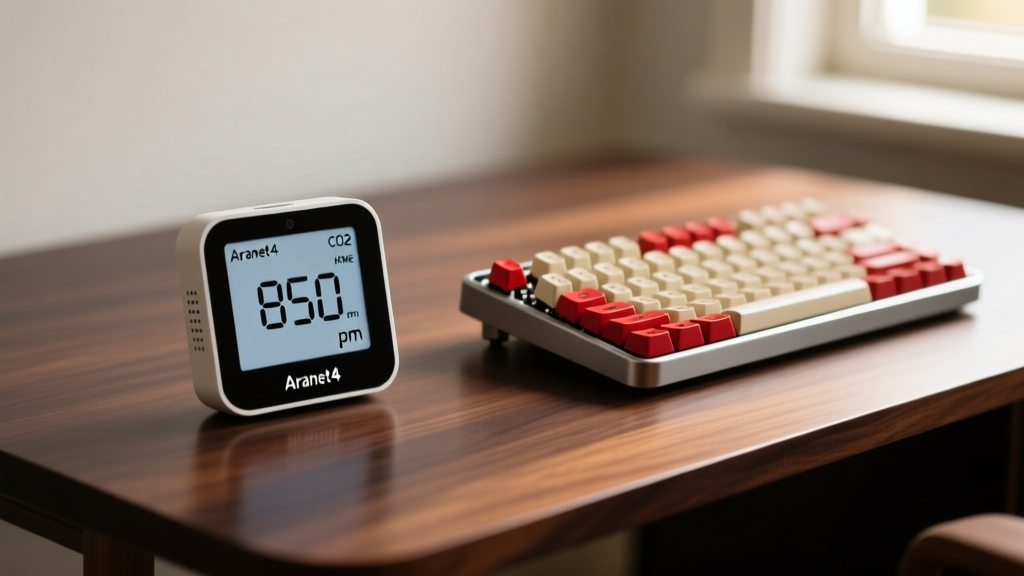
If you experience severe cognitive fatigue around 2:00 PM, the culprit is likely not a lack of caffeine, but elevated indoor CO2. In a closed 10x10 home office, a single adult can push CO2 levels past 1,500 ppm in under two hours. The EPA notes that poor indoor air quality directly impacts cognitive function and causes drowsiness.
The Aranet4 HOME ($189) utilizes a medical-grade NDIR sensor accurate to ±30ppm, with a 1-minute refresh rate. Its e-ink display is completely distraction-free. When the screen turns red (indicating >1,000 ppm), it is your objective cue to open a window or turn on your HVAC fan, instantly resolving unexplained brain fog.
5. Microphone Peaking and Echo in Video Calls
Built-in laptop microphones capture room reverb and keyboard clatter, making you sound unprofessional. The Elgato Wave:3 ($149) solves the specific problem of audio peaking. It features a proprietary Clipguard technology that automatically routes loud transients (like a dog barking or dropping a heavy book) to a secondary, lower-gain analog circuit, preventing digital distortion up to 120dB.
Furthermore, its capacitive mute button provides instant, silent muting without the physical click of a mechanical switch being picked up by the condenser capsule.
6. Peripheral Battery Anxiety
Constantly swapping AA batteries in your mouse or dealing with dead wireless keyboards mid-meeting is a massive workflow interrupter. The Logitech MX Master 3S ($99) eliminates this through extreme power efficiency. A single 3-minute USB-C quick charge provides 3 hours of use, and a full charge lasts up to 70 days. Its Darkfield 8000 DPI optical sensor tracks flawlessly on glass surfaces, eliminating the need for a separate desk mat just to keep your cursor functional.
7. Acoustic Reverb in Untreated Rooms
Hard walls, bare floors, and glass windows create acoustic flutter echo, making your voice sound tinny and exhausting listeners on long calls. While professional acoustic treatment costs thousands, the Elgato Wave Panels ($49 for a 3-pack) offer a modular, high-NRC solution.
These hexagonal foam panels feature a Noise Reduction Coefficient (NRC) of 0.85, meaning they absorb 85% of the sound waves that hit them. Mounting just three panels directly behind your monitor at the primary reflection point drastically reduces high-frequency reverb without deadening the room entirely.
Decision Framework: What to Upgrade First?
Do not buy all seven gadgets at once. Use this matrix to prioritize based on your most severe daily pain point:
- If you suffer from physical pain (neck/wrists): Buy the Grove Made Shelf and Upright GO 2 first. Consult OSHA's Ergonomics Guidelines to ensure your baseline desk height is correct before adding accessories.
- If you experience afternoon fatigue and headaches: Buy the Aranet4 HOME and BenQ ScreenBar Halo. Fix your air and your lighting before upgrading your tech.
- If your clients complain about audio/video quality: Buy the Elgato Wave:3 and Wave Panels. Audio perception dictates professional credibility more than video resolution.
Upgrading your workspace is an exercise in eliminating friction. By targeting specific environmental and ergonomic failures with precision tools, you transform your home office from a room with a desk into a high-performance cognitive engine.
Written by
Tom ReynoldsTom Reynolds holds a CFA (Chartered Financial Analyst) designation and a B.S. in Finance from the University of Texas at Austin. Before entering tech journalism, he spent 6 years as a quantitative analyst at a hedge fund, building cost-benefit models for consumer product investments. Tom has maintained a proprietary database of over 10,000 tech deals for the past 8 years, developing his signature "penny-per-feature" evaluation framework that calculates the true value proposition of every gadget. His budget gadget reviews are known for their financial rigor — he tracks price history across 15+ retailers, calculates cost-per-use over 3-year lifespans, and identifies the exact inflection point where premium features justify their markup. Tom's deal alerts have saved his readers an estimated .3 million since 2018.