Best Office Desk Gadgets for 2026: The Ultimate Buyer's Guide
Discover the best office desk gadgets for 2026. Our comprehensive buyer's guide covers smart lighting, ergonomic tools, and cable management upgrades.
The Evolution of the Modern Workspace in 2026
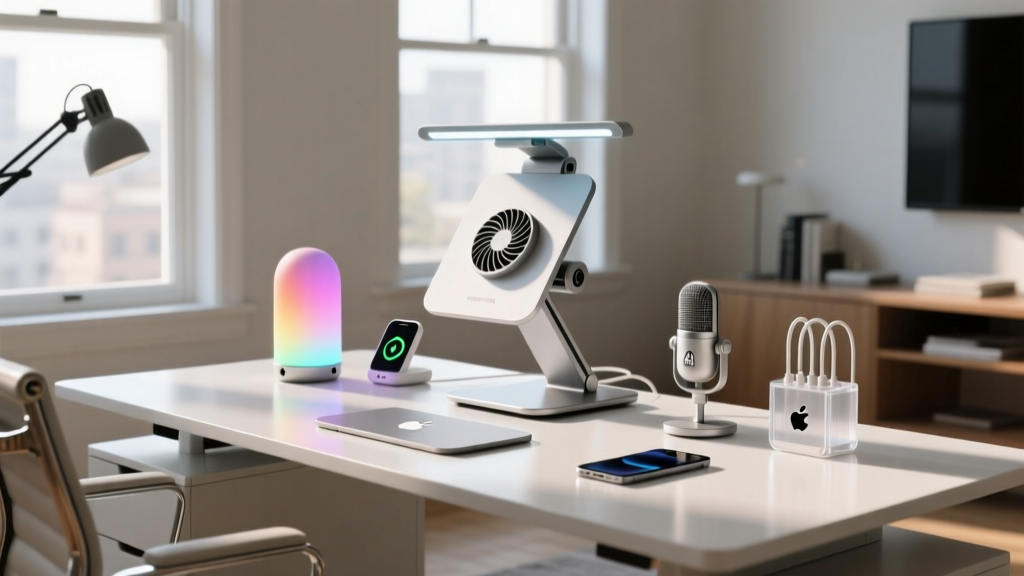
The home office has transitioned from a makeshift kitchen table setup to a highly optimized, data-driven productivity hub. As we move through 2026, the best office desk gadgets are no longer just about aesthetic appeal; they are engineered to reduce cognitive load, mitigate physical strain, and seamlessly integrate with smart home ecosystems. Whether you are a software engineer compiling code, a digital marketer analyzing metrics, or a writer drafting your next novel, your desk environment directly impacts your output and long-term health.
In this comprehensive buyer's guide, we break down the essential categories of desk accessories, providing exact model numbers, current pricing, and technical specifications to help you build a workspace that actually works for you. We will move beyond generic advice and dive into the specific metrics—like lux levels, VESA mounting tolerances, and GaN charging efficiencies—that separate premium gear from cheap clutter.
Core Categories of Office Desk Gadgets
To build a cohesive setup, we must categorize office desk gadgets into three functional pillars: Ergonomics, Illumination, and Power Management. Let us examine the top-tier options currently dominating the market.
Ergonomic & Health-Tracking Accessories
Ergonomics is the foundation of any sustainable workspace. According to research published by the Cornell University Ergonomics Web, maintaining a neutral posture with your elbows at a 90-to-110-degree angle can reduce musculoskeletal disorders by up to 60%. In 2026, static setups are out; dynamic micro-movements are in.
- Logitech Ergo M575s Trackball ($49.99): A staple for preventing repetitive strain injury (RSI). The 2026 iteration features a 2000 DPI sensor and a sculpted thumb rest that keeps your wrist completely stationary. It requires a desk depth of at least 15 inches to allow for proper arm resting.
- Herman Miller Ollin Monitor Arm ($195.00): Designed specifically for ultrawide and lightweight displays. It supports VESA 75x75 and 100x100 patterns and holds monitors weighing between 4.4 and 20 lbs. The tension adjustment dial allows for one-finger height adjustments, encouraging you to shift your screen height between sitting and standing throughout the day.
- Twelve South Compass Pro ($79.99): If you use a laptop as your primary or secondary display, this aluminum stand elevates the screen to eye level while folding completely flat for travel. It raises the laptop exactly 6.5 inches, which is the optimal delta for maintaining cervical spine alignment when paired with an external keyboard.
Smart Lighting & Ambiance Control
Poor lighting causes eye strain and disrupts circadian rhythms. The goal is to achieve a balanced contrast ratio between your screen and the surrounding wall. RTINGS.com display testing suggests that bias lighting should ideally match the color temperature of your monitor's white point, typically around 6500K (D65), while task lighting should hover around 4000K to 5000K for optimal focus.
- BenQ ScreenBar Halo ($239.00): The undisputed king of monitor-mounted task lighting. It utilizes an asymmetric optical design that illuminates your keyboard (delivering up to 500 lux) without casting a single lumen onto your screen, eliminating glare. The included wireless dial allows you to adjust color temperature from 2700K to 6500K and brightness from 0 to 100% seamlessly.
- Govee RGBIC Pro Desk Strip ($39.99): For bias lighting, addressable RGBIC strips are essential. This 3.2-meter kit syncs with your monitor's edge colors via the Govee DreamView software, reducing eye fatigue during late-night sessions by minimizing the harsh contrast between a bright screen and a dark room.
Power, Charging, & Cable Management
A cluttered desk leads to a cluttered mind. Modern office desk gadgets must address the proliferation of USB-C devices without relying on bulky, outdated power bricks. Gallium Nitride (GaN) technology has revolutionized desktop power delivery, allowing for massive wattage in incredibly small form factors.
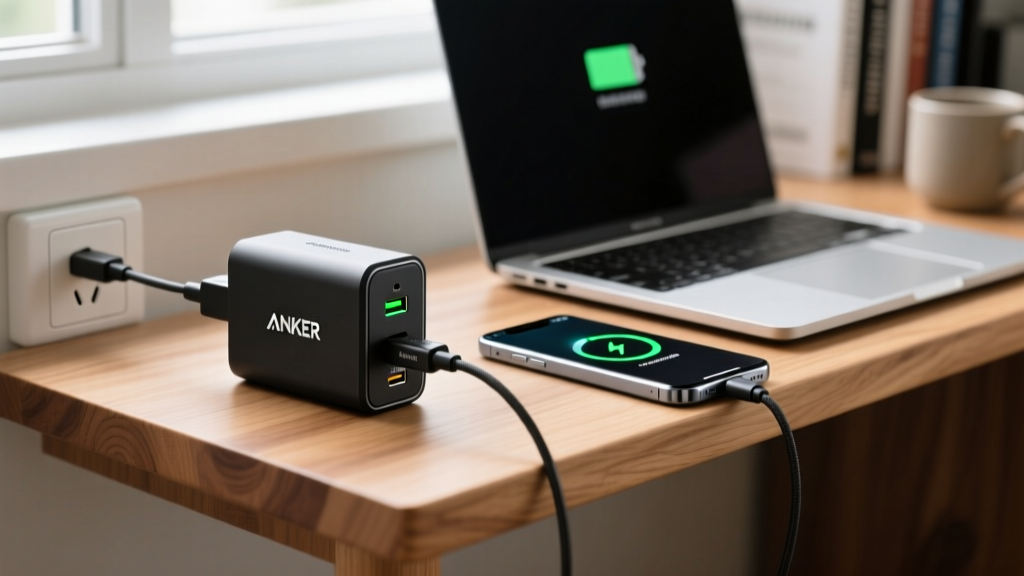
- Anker Prime 100W GaN Wall Charger ($55.99): This 3-port (2x USB-C, 1x USB-A) charger dynamically distributes power. If you plug in a MacBook Pro 14-inch and an iPhone 16 Pro simultaneously, it intelligently routes 85W to the laptop and 15W to the phone, maintaining optimal charging curves without overheating.
- Grovemade Walnut Desk Shelf ($180.00): Measuring 36 inches wide and 9.5 inches deep, this solid walnut shelf creates a dedicated 'tunnel' underneath for hiding power strips, external SSDs, and DACs. It elevates your monitor by 4.5 inches, perfectly clearing most ergonomic keyboards and allowing you to push them out of the way when reading physical documents.
2026 Office Desk Gadgets Comparison Matrix
To help you quickly compare the top recommendations, refer to the matrix below. This table highlights the primary use case and technical limits of each gadget.
| Gadget Category | Top 2026 Pick | Price Range | Key Technical Spec | Best For |
|---|---|---|---|---|
| Input Device | Logitech Ergo M575s | $45 - $55 | 2000 DPI, 2.4GHz/BT | RSI Prevention & Small Desks |
| Monitor Arm | Herman Miller Ollin | $185 - $210 | VESA 100x100, 4.4-20 lbs | Ultrawides & Sit/Stand Desks |
| Task Lighting | BenQ ScreenBar Halo | $229 - $249 | 500 Lux, Asymmetric Optics | Glare-Free Keyboard Illumination |
| Power Delivery | Anker Prime 100W GaN | $50 - $65 | 100W Max, 3-Port Split | Multi-Device Fast Charging |
| Organization | Grovemade Desk Shelf | $170 - $190 | 36' W x 9.5' D, 4.5' H | Cable Hiding & Monitor Elevation |
Decision Framework: The 3-Zone Desk Mapping Technique
Before purchasing any new office desk gadgets, apply the '3-Zone Mapping' technique to your physical desk space. This framework, adapted from industrial OSHA workspace efficiency guidelines, ensures you only buy gadgets that fit your actual workflow.
- Zone 1 (Primary Reach - 15-inch radius): This is where your hands rest. Only essential, high-frequency gadgets belong here. This includes your ergonomic mouse, mechanical keyboard, and wireless charging pad. Do not clutter this zone with pens, phones, or smart home hubs.
- Zone 2 (Secondary Reach - 15 to 25-inch radius): This area is for items you interact with a few times an hour. Place your BenQ ScreenBar dial, your smartphone stand, and your primary coffee mug here. This is also where your monitor arm's base should be clamped to maximize depth.
- Zone 3 (Tertiary Storage - Beyond 25 inches): This is the domain of the Grovemade desk shelf. Items you use once a day or less belong here: external hard drives, reference books, desk plants, and ambient smart lighting controllers.
Pro Tip: If a gadget requires you to break your 90-degree elbow angle to reach it, it is placed in the wrong zone. Re-evaluate your layout before buying a larger desk.

Budgeting for Your Desk Upgrade
Upgrading your workspace does not require an unlimited budget. Here is how to allocate your funds based on your current setup needs.
Tier 1: The Essential Reset ($100 - $250)
Focus on health and basic power. Purchase the Logitech M575s ($49.99) to save your wrist, and the Anker Prime 100W charger ($55.99) to eliminate cable clutter. Use the remaining budget for a high-quality, large-format desk mat (like the LTT Desk Mat at $35) to define your Zone 1 and dampen keyboard acoustics.
Tier 2: The Productivity Pro ($300 - $600)
Add visual ergonomics. Introduce the BenQ ScreenBar Halo ($239) to eliminate eye strain, and invest in a premium monitor arm like the Herman Miller Ollin ($195). This tier dramatically improves your daily comfort and allows for seamless transitions between focused work and collaborative video calls.
Tier 3: The Executive Studio ($700+)
Complete the ecosystem. Add the Grovemade Walnut Desk Shelf ($180), Govee RGBIC bias lighting ($39.99), and upgrade to a motorized sit-stand desk frame if you haven't already. At this tier, you are investing in the psychological benefits of a beautifully curated, frictionless environment.
Frequently Asked Questions (FAQ)
Do I need a specific desk thickness for monitor arms?
Yes. Most premium monitor arms, including the Herman Miller Ollin, require a desk edge thickness between 0.4 inches and 3.3 inches. If your desk has a beveled edge or a metal support beam directly underneath the clamp zone, you will need to purchase a separate 'desk mounting pad' or reinforce the area with a wooden block to prevent crushing the desk material.
Is wireless charging on the desk bad for my phone's battery?
In 2026, modern Qi2 wireless chargers feature advanced thermal management and foreign object detection. However, heat is still the enemy of lithium-ion batteries. Ensure your desk-mounted wireless charger has an active cooling fan or a graphene heat-dissipation layer, and avoid leaving your phone charging in direct sunlight from a nearby window.
How many lumens do I need for a home office?
Lumens measure total light output, but for desk work, lux (lumens per square meter) is the accurate metric. The Illuminating Engineering Society (IES) recommends 300 to 500 lux for standard desk work, and up to 1000 lux for detailed drafting or intricate hardware assembly. The BenQ ScreenBar Halo easily achieves 500 lux directly on the keyboard area without washing out the rest of the room.
Written by
Jake MorrisonJake Morrison holds a B.S. in Electrical Engineering from UC Berkeley and an MBA from Stanford Graduate School of Business. With over 12 years of hands-on experience in consumer electronics, he previously served as a senior product engineer at a Silicon Valley startup before transitioning to tech journalism. Jake has personally tested and benchmarked over 3,000 gadgets across categories including smartphones, wearables, smart home devices, and audio equipment. His durability testing methodology — involving controlled drop tests, thermal cycling, and water submersion — is widely cited by major tech publications. He is a certified CompTIA A+ technician and a contributing editor to the IEEE Consumer Electronics Magazine.