Beginner vs Expert: Electronics and Gadgets Starting With P
Compare beginner and expert startup desk setups with our guide to electronics and gadgets starting with P, from Pomodoro timers to Plugable docks.
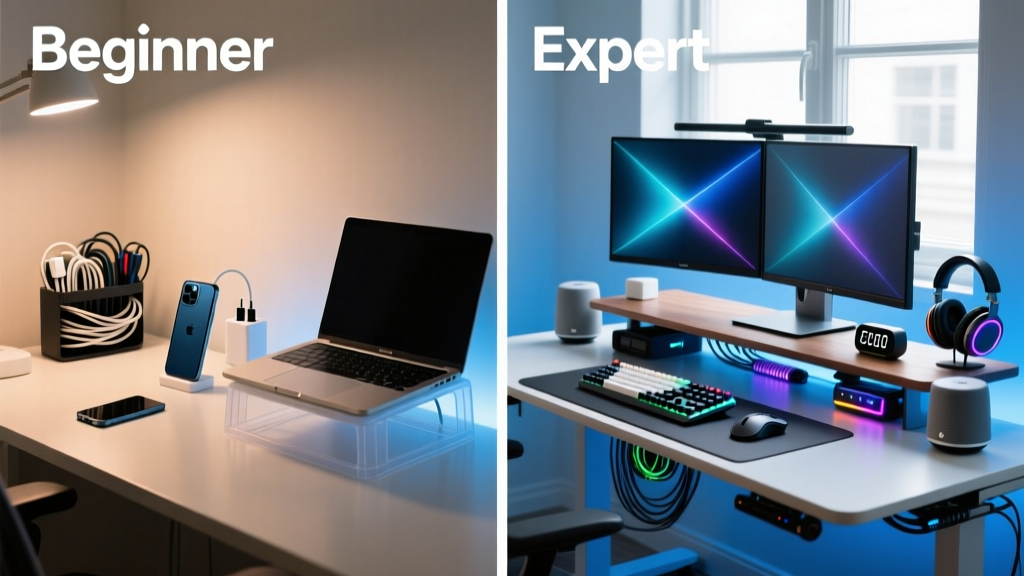
The Startup Productivity Constraint: Mastering the Letter 'P'
In the hyper-competitive landscape of 2026, startup founders and remote developers are constantly optimizing their workspaces for deep work and flow states. But what if we gamified the upgrade process? Today, we are exploring a unique constraint: a head-to-head beginner vs expert comparison of electronics and gadgets starting with P. By limiting our focus to 'P' category devices—Pomodoro timers, Programmable keypads, Pneumatic desks, and Plugable docks—we can clearly map the evolution of a desk setup from a novice distraction-heavy environment to an elite, high-ROI command center.
Whether you are bootstrapping your first SaaS or scaling a Series B startup, understanding when to upgrade your peripherals is critical. Let us break down the exact models, pricing, and productivity metrics that separate the amateurs from the pros.
The Focus Framework: Pomodoro Timers vs. Programmable Flow States
Time management is the bedrock of startup productivity. The way you interact with your focus timers reveals a lot about your operational maturity.
The Beginner 'P': Physical Pomodoro Cubes
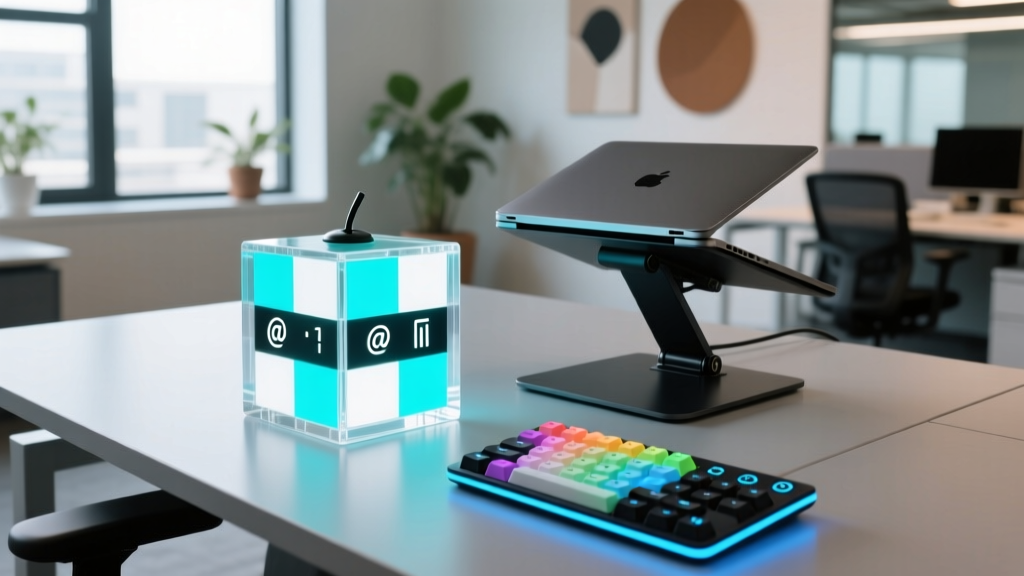
Beginners often rely on tactile, single-purpose devices to force discipline. The TickTime Cube (approx. $39) is a staple for novice remote workers. It uses a gravity sensor to detect orientation, automatically starting a 5, 15, or 30-minute Pomodoro timer when flipped. It is a brilliant, screen-free way to initiate deep work without falling into the trap of 'configuring' your productivity app. However, its limitation is rigidity; it cannot integrate with your digital ecosystem to block Slack notifications or log billable hours.
The Expert 'P': Programmable Macro Pads and Pedals
Experts do not just track time; they engineer their environment. Instead of a simple timer, veterans use Programmable macro controllers like the Elgato Stream Deck Pedal ($99) or the Loupedeck Live ($249). An expert setup involves mapping a single foot-pedal press or dial turn to a complex 'Deep Work' macro. In 2026, a single tap triggers a cascade: it activates your OS-level Focus Mode, mutes Discord, launches a binaural beats playlist on Spotify, and starts a Toggl time-tracking session. This reduces the friction of starting deep work from roughly 45 seconds of clicking to a zero-friction physical trigger.

Ergonomics and Elevation: Plastic Risers vs. Pneumatic Converters
Posture directly impacts cognitive endurance. The 'P' of posture brings us to the physical foundation of your workspace.
The Beginner 'P': Plastic Laptop Stands
The entry-level ergonomic fix is the Ployer (or generic equivalent) adjustable plastic laptop riser ($25). While it successfully elevates the screen to eye level—preventing the dreaded 'tech neck'—it fails the stability test for heavy typing and lacks the ability to transition between sitting and standing. According to Wirecutter's extensive ergonomic testing, static posture, even when elevated, leads to a 40% drop in afternoon focus.
The Expert 'P': Pneumatic Standing Desk Converters
The expert solution is dynamic movement. The VariDesk Pro Plus 36 ($395) utilizes a heavy-duty Pneumatic spring system that allows users to transition from sitting to standing in under three seconds, requiring zero electrical power and generating zero motor noise. For startup teams operating in shared co-working spaces where drilling into desks is forbidden, a pneumatic converter provides elite ergonomic flexibility. The dual-tier design ensures your keyboard remains at the precise 90-degree elbow angle required to prevent carpal tunnel, regardless of the desk's height.
Power and Peripherals: Pico Hubs vs. Plugable Thunderbolt Docks
A cluttered desk with dangling dongles is a visual and operational bottleneck. How you handle connectivity defines your workflow speed.
The Beginner 'P': Pico USB Hubs
Novices often purchase cheap, Pico-sized 4-port USB-A hubs ($15) to connect their mouse and keyboard. These unpowered hubs frequently suffer from voltage drops, causing external hard drives to disconnect during critical database backups or causing audio interfaces to crackle during investor Zoom calls.
The Expert 'P': Plugable Thunderbolt Docks
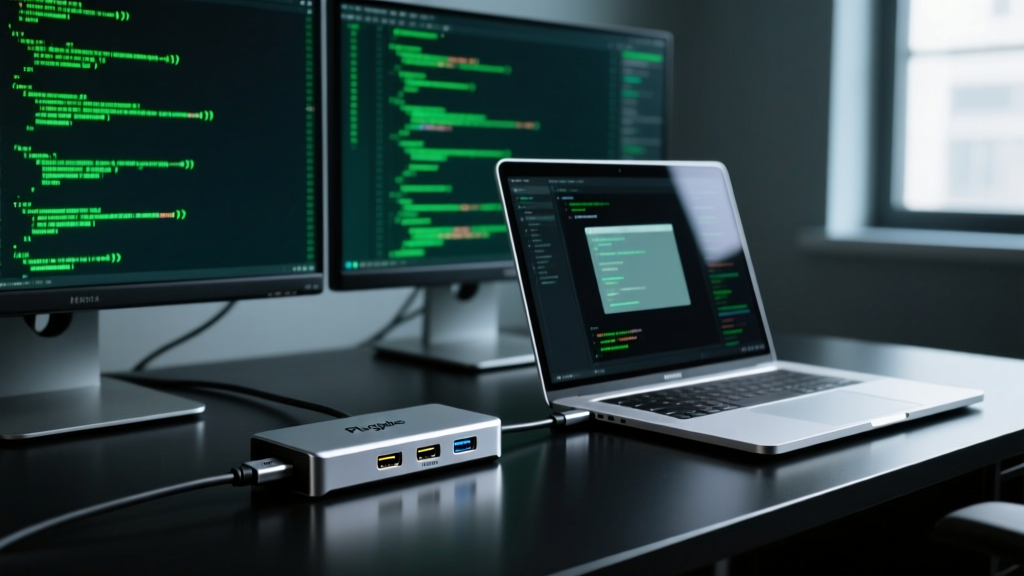
Experts invest in centralized, high-bandwidth nervous systems for their desks. The Plugable TBT4-UDZ Thunderbolt 4 Dock ($249) is the undisputed workhorse for multi-monitor coding setups. As detailed in Tom's Hardware's connectivity benchmarks, this dock delivers 96W of power delivery to your laptop while simultaneously driving dual 4K monitors at 60Hz, routing 2.5Gbps Ethernet, and managing SD card ingest. For developers running local Docker containers and massive IDEs on external displays, the 32Gbps PCIe bandwidth of a premium Plugable dock eliminates the latency that plagues beginner USB-C hubs.
Comparison Matrix: The 'P' Productivity Progression
| Gadget Category | Beginner 'P' Pick | Expert 'P' Pick | Price Delta | Productivity ROI |
|---|---|---|---|---|
| Focus & Time | Pomodoro Cube (TickTime) | Programmable Pad (Loupedeck) | +$210 | High (Automates environment) |
| Ergonomics | Plastic Riser (Ployer) | Pneumatic Converter (VariDesk) | +$370 | High (Enables movement) |
| Connectivity | Pico USB Hub | Plugable TBT4 Dock | +$234 | Critical (Eliminates bottlenecks) |
The Upgrade Decision Framework
The 80/20 Hardware Rule: Do not upgrade your 'P' gadgets until the friction of your current setup costs you more than 20 minutes a week in lost focus or physical discomfort. A $249 Plugable dock pays for itself in one week if it saves you 3 minutes of cable-swapping every time you leave your desk.
When to make the leap?
- Revenue Milestone: Once your startup hits consistent MRR, reinvest 2% of monthly revenue into ergonomic and connectivity upgrades to prevent founder burnout.
- The Pain Signal: If you experience wrist numbness or cervical stiffness, bypass the beginner plastic risers and immediately invest in pneumatic or motorized elevation.
- The Context-Switching Tax: If you find yourself manually closing Slack and opening your IDE more than 10 times a day, a programmable macro pad is mathematically justified.
Frequently Asked Questions: Optimizing Your Setup
Are physical Pomodoro timers obsolete in 2026?
Not entirely. While programmable pads offer ecosystem integration, physical timers like the TickTime Cube remain highly relevant for users with ADHD who are easily distracted by the very screens they are trying to focus on. The tactile feedback of flipping a cube grounds the user in the physical world, initiating a psychological boundary against digital interruptions.
Do I need Thunderbolt 5 for a startup coding setup?
For 95% of developers, Thunderbolt 4 (like the Plugable TBT4-UDZ) provides more than enough bandwidth for dual 4K displays and fast storage. Thunderbolt 5 (80Gbps+) is currently reserved for video editors working with multiple streams of 8K RAW footage or engineers running complex local VR simulations. Save the $150 premium and invest it in a better ergonomic chair.
What is the best way to clean pneumatic desk converters?
Use a microfiber cloth and a mild isopropyl alcohol solution (70%) for the surfaces. Crucially, once every six months, apply a dry PTFE (Teflon) lubricant to the pneumatic spring rails to prevent squeaking and ensure the lift mechanism remains buttery smooth. Avoid WD-40, which attracts dust and degrades the internal seals.
Written by
Tom ReynoldsTom Reynolds holds a CFA (Chartered Financial Analyst) designation and a B.S. in Finance from the University of Texas at Austin. Before entering tech journalism, he spent 6 years as a quantitative analyst at a hedge fund, building cost-benefit models for consumer product investments. Tom has maintained a proprietary database of over 10,000 tech deals for the past 8 years, developing his signature "penny-per-feature" evaluation framework that calculates the true value proposition of every gadget. His budget gadget reviews are known for their financial rigor — he tracks price history across 15+ retailers, calculates cost-per-use over 3-year lifespans, and identifies the exact inflection point where premium features justify their markup. Tom's deal alerts have saved his readers an estimated .3 million since 2018.