The Best Space-Saving Office Gadgets for Men in 2026
Maximize your workspace with the best space-saving office gadgets for men in 2026. Discover compact tech, foldable gear, and smart desk organizers.
The Micro-Desk Philosophy: Why Compact Gear Wins
The modern hybrid workspace demands a ruthless approach to physical footprint. Whether you are hot-desking at a corporate hub three days a week or optimizing a 40-square-foot home office nook, sprawling peripherals are a liability. The shift toward micro-workspaces has driven a massive evolution in office gadgets for men, prioritizing high-density utility over sheer size. In 2026, the gold standard for portable productivity is the "10-second teardown"—the ability to collapse, pack, and relocate your entire ergonomic setup in under ten seconds without untangling a single wire.
According to recent hybrid work analytics from Owl Labs, over 68% of knowledge workers now split their time between multiple physical locations, making ultra-compact, travel-ready desk gear a necessity rather than a niche preference. This guide breaks down the exact models, dimensions, and deployment strategies for building a high-performance, space-saving command center.
Tier-One Space-Saving Hardware
1. Roost Laptop Stand (Auto-Collapsing Model)
Laptops are inherently anti-ergonomic. Hunching over a 14-inch screen compresses the cervical spine, but traditional aluminum laptop stands are bulky, heavy, and require two hands to adjust. The Roost Laptop Stand solves this with a proprietary auto-adjusting polymer neck.
- Collapsed Footprint: 1.5 x 1.5 x 13 inches (slides easily into a briefcase sleeve).
- Weight: 1.6 lbs (carbon-fiber reinforced nylon).
- Load Capacity: Up to 15 lbs, accommodating heavy mobile workstations like the 16-inch MacBook Pro or Dell Precision series.
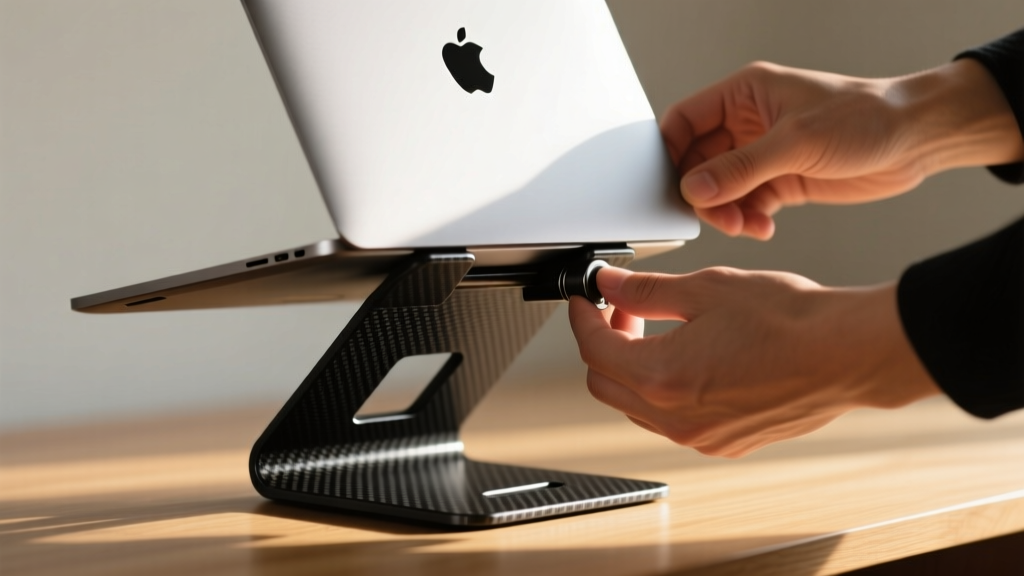
Expert Insight: The Roost utilizes a friction-based telescoping neck that locks into place without knobs or levers. To maintain proper ergonomics, Cornell University Ergonomics guidelines dictate that the top of your screen should be at or slightly below eye level. The Roost extends up to 12 inches vertically, achieving this exact neutrality while allowing you to pair it with a compact external keyboard.
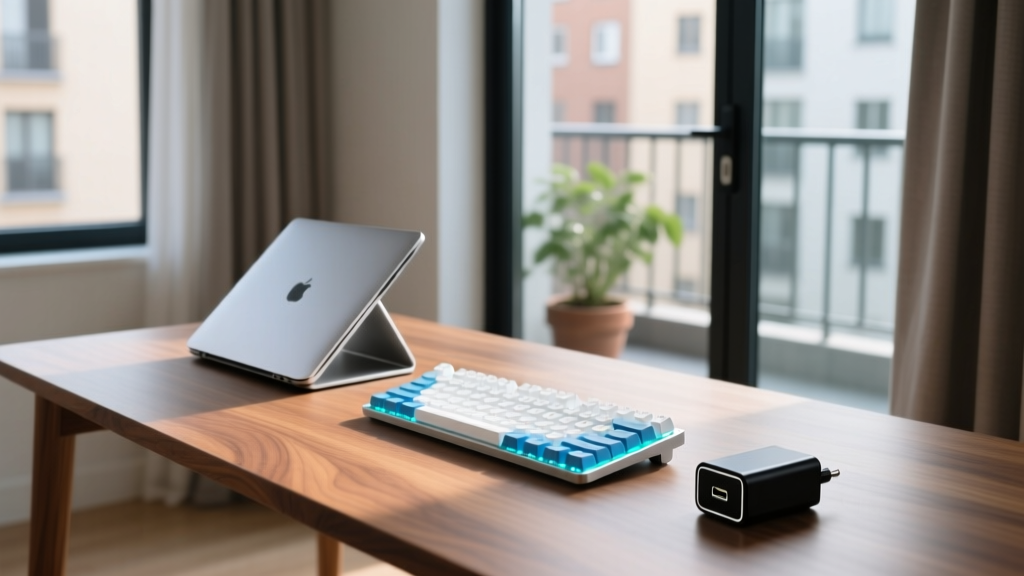
2. Keychron K3 Pro Ultra-Slim Mechanical Keyboard
Membrane travel keyboards lack the tactile feedback required for heavy typing sessions, but standard mechanical keyboards are 35mm+ thick and impossible to slip into a backpack. The Keychron K3 Pro bridges this gap using low-profile Gateron switches.
- Thickness: Just 17mm at the front edge (thinner than a standard AA battery).
- Layout: 75% (retains F-keys and arrows but chops off the number pad, saving roughly 4 inches of horizontal desk space).
- Connectivity: Bluetooth 5.1 (multi-device pairing for up to 3 systems) and USB-C wired.
At $84 to $94 depending on the switch type (Red, Brown, or Blue), it offers QMK/VIA programmability, meaning you can map macro shortcuts to the smaller footprint without losing functionality.
3. Anker Prime 100W GaN Wall Charger
Carrying a laptop power brick, a phone adapter, and a smartwatch puck is a waste of bag space. Gallium Nitride (GaN) technology has completely replaced silicon in high-end power delivery, allowing for massive wattage in micro-housings.
- Dimensions: 2.2 x 2.2 x 1.2 inches (with foldable prongs).
- Output: 100W total across two USB-C ports and one USB-A port.
- Thermal Management: Runs roughly 15% cooler than legacy silicon chargers under sustained 80W+ loads.
Deployment Tip: Plug your laptop into the primary USB-C1 port (which negotiates up to 65W or 100W depending on the specific Anker Prime SKU) and your phone into C2. The internal smart-distribution chip dynamically reallocates wattage if a device reaches 100% capacity.
Footprint Comparison: Standard vs. Compact Gear
To understand the spatial ROI of upgrading your kit, review the desk real estate reclaimed by swapping legacy peripherals for their compact counterparts.
| Equipment Category | Standard Model (Footprint) | Compact Alternative (Footprint) | Space Reclaimed |
|---|---|---|---|
| Keyboard | Logitech MX Keys (430 cm²) | Keychron K3 Pro 75% (310 cm²) | 120 cm² (28% reduction) |
| Power Delivery | OEM 65W Laptop Brick (145 cm³) | Anker Prime 100W GaN (85 cm³) | 60 cm³ (41% reduction) |
| Monitor/Laptop Riser | Rain Design mStand (240 cm² base) | Roost Stand (14 cm² base) | 226 cm² (94% reduction) |
Advanced Cable Management & Hidden Storage
Compact gadgets lose their advantage if they are tethered by a rat's nest of six-foot cables. The goal is a completely clear desk surface when the workday ends.
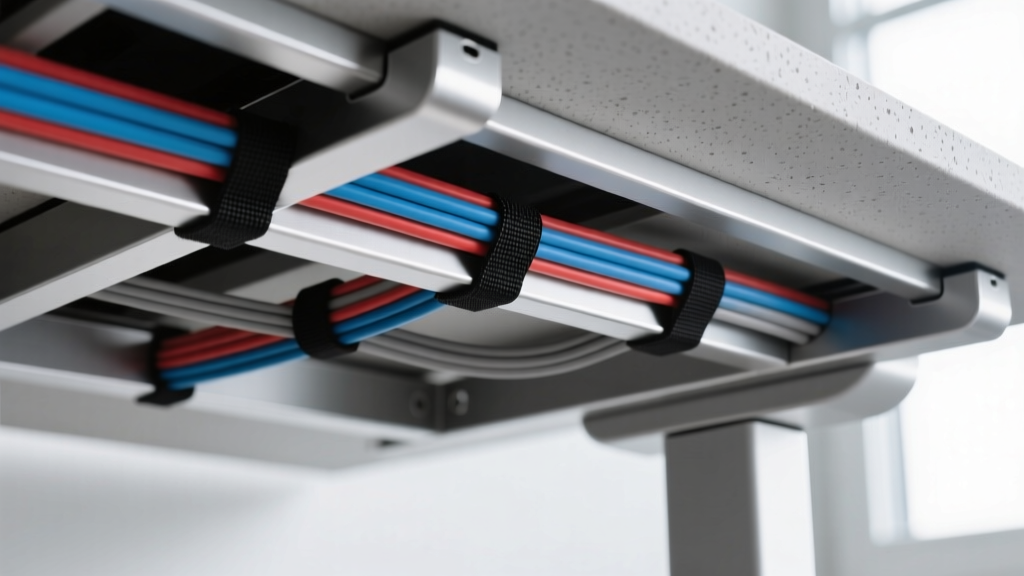
For the cables that do need to move (laptop charger, mouse), use magnetic breakaway adapters or retractable Kevlar-wrapped cords that snap back to a fixed anchor point when unplugged. This eliminates the need to coil and pack cables during your 10-second teardown.
Decision Framework: Choosing Your Compact Loadout
Not every space-saving gadget fits every workflow. Use this matrix to determine your priority upgrades:
- Scenario A: The Corporate Hot-Desker. You carry your gear daily and claim a different desk each morning. Priority: Weight and setup speed. Invest heavily in the Roost Stand and a 60% or 75% keyboard. Skip under-desk mounts entirely.
- Scenario B: The Micro-Apartment WFH Professional. Your desk is in your living room and needs to "disappear" visually at 6:00 PM. Priority: Visual minimalism and wireless tech. Invest in an ultra-slim keyboard, a single-cable Thunderbolt dock hidden behind the monitor, and wireless charging pads built into the desk surface.
- Scenario C: The Digital Nomad / Frequent Flyer. You work from hotel desks and airport lounges. Priority: Universal power and extreme packability. The 100W GaN charger with international plug adapters and a foldable laptop riser are non-negotiable.
Frequently Asked Questions
Can a 75% keyboard handle heavy Excel or data entry work?
Yes, but it requires adapting to shortcuts. By utilizing the Fn (Function) layer on a Keychron K3 Pro, you can map the missing number pad to the right-hand alpha cluster. For pure, heavy data entry where you input 10-key sequences blindly, a 75% layout will slow you down; in that specific case, look into a standalone, foldable Bluetooth number pad that you can stash in a drawer when not in use.
Are GaN chargers safe for sensitive laptop batteries?
Absolutely. Modern GaN chargers utilize the USB Power Delivery (PD) 3.1 protocol, which includes a digital handshake between the charger and the laptop's battery management system (BMS). The charger will only supply the exact voltage and amperage requested by the device, preventing overcharging or thermal throttling.
How do I clean an ultra-slim mechanical keyboard without damaging the low-profile switches?
Do not pop the keycaps off a low-profile keyboard unless you have a specialized wire puller; the scissor-style stabilizers on longer keys (like the spacebar) are fragile. Instead, turn the keyboard upside down, use a soft-bristled brush to sweep between the 17mm gaps, and follow up with compressed air held at a 45-degree angle to blow out dust without forcing it deeper into the switch housing.
Written by
David OkaforDavid Okafor is an ASE (Automotive Service Excellence) Master Certified Technician with 15 years of professional experience in vehicle diagnostics, aftermarket electronics installation, and fleet management. He holds an Associate Degree in Automotive Technology from Universal Technical Institute and certifications in mobile electronics (MECP Certified Installer). David has installed and reviewed over 800 car tech products — from OBD2 scanners and dash cams to full infotainment system retrofits — in vehicles ranging from economy compacts to luxury SUVs. His popular YouTube channel "AutoTech David" has over 150,000 subscribers and features detailed installation tutorials and product teardowns. He is a regular contributor to the SEMA Show's aftermarket technology showcase and advises two automotive tech startups on product development.