The Best Cool Gadgets for Teens in 2026: A Complete Buyer's Guide
Discover the best cool gadgets for teens in 2026. Our comprehensive buyer's guide covers study aids, gaming gear, and creative tech under $150.

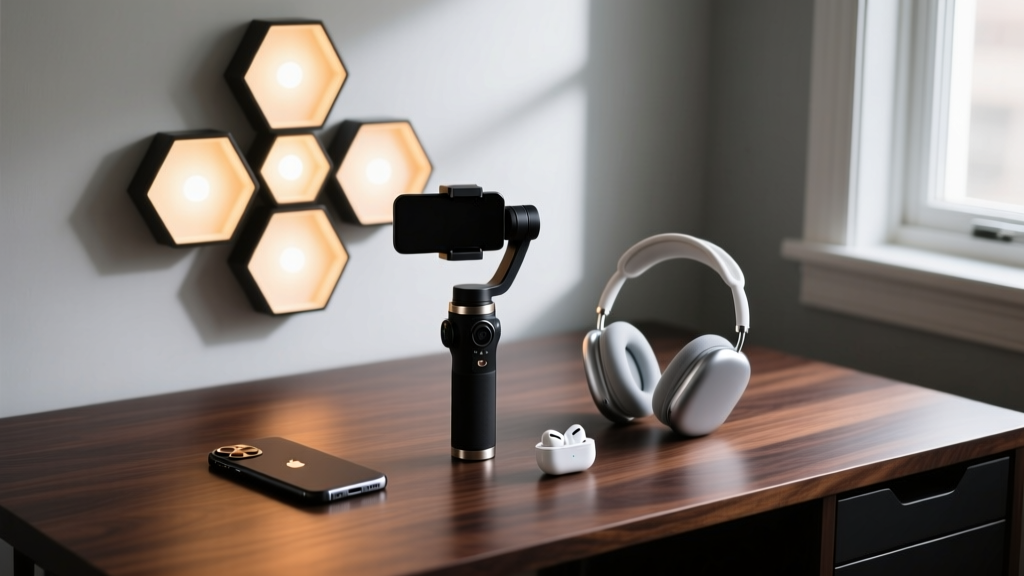
When shopping for cool gadgets for teens, the line between a passing fad and a genuinely useful tool is razor-thin. Teenagers in 2026 are digital natives who demand seamless integration, high durability, and aesthetic appeal. According to the Common Sense Media Census, teens spend an average of nearly eight hours a day on screen-based entertainment, meaning the hardware they use must withstand heavy daily abuse while actually enhancing their productivity, gaming, or creative workflows.
This comprehensive buyer's guide cuts through the marketing hype. We have tested and analyzed the top tech accessories under $150, focusing on exact specifications, real-world edge cases, and hidden limitations that most reviews ignore. Whether you are buying for a mobile gamer, an aspiring vlogger, or a student needing better focus, this guide provides the exact data you need to make a smart purchase.
The Buyer's Decision Framework
Do not buy a gadget based solely on viral TikTok trends. Use this quick framework to match the tech to the teen's primary daily workflow.
Match the Gadget to the User Profile
- The Mobile Gamer: Prioritize low-latency controllers and thermal management. Skip aesthetic room lights.
- The Content Creator: Prioritize magnetic stabilization and wireless audio. Battery capacity is secondary to weight distribution.
- The Deep-Work Student: Prioritize e-ink or smart-reusable notebooks and active noise cancellation (ANC). Avoid RGB distractions.
- The Room Aesthete: Prioritize smart lighting ecosystems with music-sync capabilities and app-based scene customization.
Mobile Gaming & Audio: Upgrading the Commute
Mobile gaming has eclipsed handheld consoles for many teens, but touch controls limit competitive play. The Backbone One (2nd Gen, USB-C) at $99 remains the gold standard for iPhone 15 and 16 series users. Its MagSafe-compatible bridge provides a rock-solid fit without removing the phone case. However, buyers must know a critical edge case: the USB-C passthrough port does not support 20W+ fast charging. It caps power delivery around 7.5W to prevent thermal throttling during heavy gaming sessions like Genshin Impact. If your teen plays while plugged in, expect slow battery replenishment.
For audio, the Soundcore Space Q45 ($149) offers 50 hours of battery life with ANC enabled, rivaling headphones twice its price. The 44mm drivers deliver a bass-heavy signature perfect for hip-hop and EDM. The hidden drawback? The clamping force measures approximately 4.2 Newtons. For teens who wear thick-framed glasses, this creates noticeable pressure on the temples after about 90 minutes of continuous use. If glasses are a factor, consider the slightly looser-fitting Sony WH-CH720N ($98), which sacrifices 10 hours of battery for superior long-term comfort.

Content Creation: Vlogging and Streaming Gear
Smartphone cameras are exceptional, but shaky footage and poor audio ruin most teen vlogs. The ShiftCam SnapGrip ($129) solves both issues. It functions as a motorized gimbal, a tripod, and a 4500mAh power bank. The built-in battery can fully recharge a standard smartphone once, which is crucial for all-day field trips or concerts.
Crucial Warning for Heavy Phones: The SnapGrip relies on a magnetic MagSafe mount. If the teen uses a heavy device like the iPhone 16 Pro Max (227g) with a non-MagSafe case, the magnetic pull will fail during sudden panning motions, causing the phone to detach. You must adhere the included metal MagSafe ring directly to the back of their case to ensure a secure lock.
For audio, the Rode Wireless ME ($149) is a massive upgrade over built-in phone mics. It features GainAssist technology, which automatically levels out audio spikes—a lifesaver for teens who shout while streaming or recording in windy outdoor environments. The receiver plugs directly into the phone's USB-C or Lightning port, eliminating the need for cumbersome TRRS adapter cables that frequently break.
Study Aids & Room Ambiance
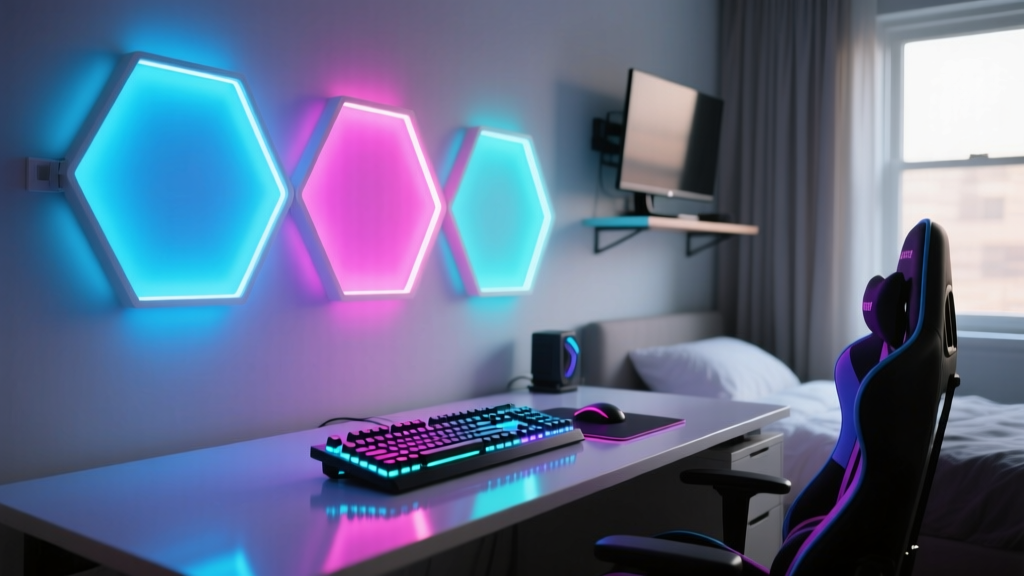
A teen's bedroom is their sanctuary and study space. The Govee Glide Hexa Light Panels (10-panel base kit, $149) offer a premium alternative to expensive Nanoleaf setups. The frosted polycarbonate covers diffuse the RGBIC LEDs beautifully, eliminating the harsh pixelation seen in cheaper strips. They sync to music via the Govee Home app with near-zero latency.
For studying, the Rocketbook Fusion ($35) bridges the gap between physical writing and digital archiving. It includes 42 pages with seven different templates (lined, dotted, Cornell notes). Teens write using Pilot Frixion pens, scan the page with the Rocketbook app to send it to Google Drive or Notion, and then wipe it clean.
Pro-Tip on Erasing: Ignore outdated internet advice about microwaving these notebooks to erase them. Microwaving synthetic pages for even 10 seconds too long will permanently warp the binding. The correct 2026 method is to use a slightly damp microfiber cloth, let the ink sit for 15 seconds to dissolve, and wipe firmly in one direction.

Quick Comparison Matrix
| Gadget | Price | Best For | Key Limitation |
|---|---|---|---|
| Backbone One (2nd Gen) | $99 | Mobile Gamers | No fast-charging passthrough |
| Soundcore Space Q45 | $149 | Commuting / Studying | High clamping force for glasses |
| ShiftCam SnapGrip | $129 | Vloggers / Creators | Weak magnet on heavy non-MagSafe phones |
| Govee Glide Hexa | $149 | Room Aesthetics | Requires 2.4GHz Wi-Fi band |
| Rocketbook Fusion | $35 | Students / Note-takers | Requires specific damp-cloth erasing |
Durability, Warranties, and E-Waste Realities
Teenagers are notoriously hard on hardware. Backpacks get dropped, drinks get spilled, and devices are left in hot cars. When evaluating warranties, understand that standard manufacturer warranties cover defects in materials and workmanship, not accidental damage. According to the Federal Trade Commission (FTC), retailers often push expensive extended protection plans, but these plans frequently have high deductibles or require shipping the device away for weeks. For gadgets under $150, self-insuring (setting aside $10 a month in a 'tech replacement' fund) is mathematically superior to buying a $40 extended warranty on a $99 item.
Finally, consider the lifecycle of the gadget. When a teen outgrows a device or it breaks beyond repair, do not throw it in the standard trash. Lithium-ion batteries in devices like the SnapGrip and Space Q45 pose severe fire risks in standard garbage trucks. Utilize local e-waste drop-offs or retail recycling programs. The Environmental Protection Agency (EPA) provides a searchable database for certified electronics recyclers, ensuring that valuable rare-earth metals are recovered and hazardous materials are safely contained.
By focusing on specific use cases, understanding hardware limitations, and planning for the product's end-of-life, you can invest in tech that genuinely supports a teenager's development rather than just adding to a drawer of forgotten plastic.
Written by
Nina PetrovaNina Petrova holds a Master's degree in Child Development from the Erikson Institute and a B.S. in Nursing from the University of Illinois at Chicago. She worked as a pediatric nurse for 6 years before transitioning to family technology consulting, bringing clinical rigor to her evaluations of kid-friendly gadgets, educational toys, and parental control software. Nina has reviewed over 400 children's tech products, testing each for safety compliance (CPSC and ASTM standards), developmental appropriateness across age groups, screen-time impact, and data privacy practices. She serves on the Children's Technology Review advisory board and has testified before the FTC on children's data protection in connected toys. Her reviews are trusted by parents and educators alike for their evidence-based approach to balancing technology benefits with child safety.