Top Gadget Store Finds: Portable Dual-Screen Monitors
Discover the best gadget store finds for portable dual-screen setups. We review top laptop accessories and mobile monitors for 2026 productivity.

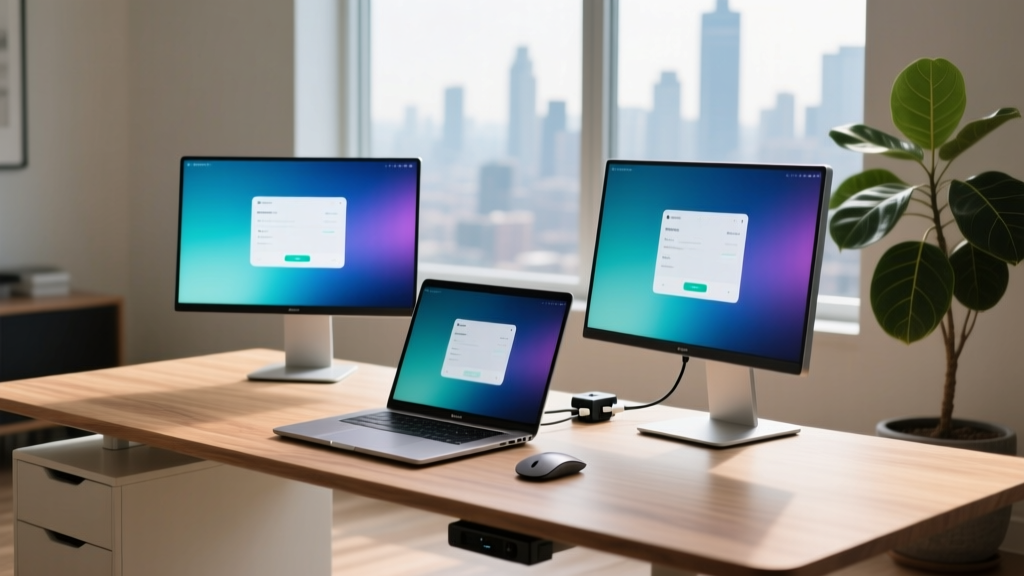
The Rise of the Mobile Command Center
When browsing your favorite online gadget store for productivity upgrades, it is easy to get lost in a sea of mechanical keyboards and ergonomic mice. But in 2026, the true frontier of mobile productivity lies in screen real estate. The era of squinting at a single 13-inch laptop display while juggling Slack, code editors, and reference browsers is officially over. Portable monitors and dual-screen laptop accessories have evolved from clunky, low-resolution novelties into ultra-thin, color-accurate powerhouses.
According to long-standing ergonomic studies, dual-screen setups can boost productivity by up to 42%. Yet, translating that desktop advantage into a mobile workflow requires navigating a minefield of power delivery bottlenecks, hinge-torque limitations, and panel refresh rates. In this guide, we dissect the most innovative portable display solutions available today, separating genuine workflow enhancers from overpriced gimmicks.
Why Dual-Screen is No Longer Just for Desktops
The shift toward hybrid work and digital nomadism has forced manufacturers to rethink portable displays. Modern panels utilize USB4 and Thunderbolt 4 bandwidth to push 4K resolution at 60Hz or 1440p at 120Hz through a single cable. The modern gadget store ecosystem now caters to three distinct mobile professionals: the traveling executive, the on-location creative, and the remote developer. Each requires a radically different hardware approach.
Top Gadget Store Finds: The Best Portable Monitors
To help you navigate the crowded market, we have tested and categorized the top-tier portable monitors currently dominating the tech enthusiast space. Below is a comparison matrix of the most reliable models that balance portability, color accuracy, and power efficiency.
| Model | Panel Type | Resolution & Refresh | Weight | Est. Price | Best Use Case |
|---|---|---|---|---|---|
| ASUS ZenScreen OLED MQ16AH | 15.6" OLED | 1080p @ 60Hz | 1.43 lbs | $399 | Media consumption & HDR editing |
| Lenovo ThinkVision M14t Gen 2 | 14" IPS | 1920x1200 @ 60Hz (Touch) | 1.30 lbs | $329 | Business travel & document signing |
| Mobile Pixels Trio Max | 15.6" IPS (x2) | 1080p @ 60Hz (Slide-out) | 3.40 lbs | $549 | Traders & multi-window coders |
| Bigme B253C Color | 25.3" E-Ink Kaleido 3 | 1600x1920 @ 60Hz | 2.80 lbs | $699 | Heavy text reading & eye-strain relief |
For deep-dive testing methodologies on color accuracy and luminance, we highly recommend consulting RTINGS portable monitor testing. Their standardized uniformity tests reveal that while OLEDs like the ASUS MQ16AH offer infinite contrast, they are still susceptible to burn-in if you leave static toolbars on them for 10-hour coding sessions.
Dual-Screen Laptop Accessories: Beyond the Standard Display
If you are looking for something beyond a simple kickstand monitor, the accessory market has birthed some incredibly unique form factors. However, these come with distinct physical trade-offs that most marketing materials conveniently ignore.
1. The Slide-Out Solutions: Mobile Pixels Trio Max
The Mobile Pixels Trio Max attaches directly to the back of your laptop lid, allowing you to slide out two extra 15.6-inch screens to create a massive, fold-out triptych. It is an undeniably cool find in any premium gadget store, but it introduces a severe physics problem: hinge torque.
Most ultrabook hinges are calibrated to support the weight of the laptop's native lid (usually around 0.6 to 0.9 lbs). Adding a 3.4 lb attachment shifts the center of gravity drastically backward. If you are working on a slight incline or a soft surface like a bed or couch, your laptop will aggressively fall backward. Pro Tip: Always use the included kickstand strut, or pair this accessory with a heavy-duty laptop stand that clamps the base to your desk.
2. The E-Ink Alternative: Bigme B253C Color
For developers and writers who spend 12 hours a day staring at text, standard IPS and OLED panels cause significant digital eye strain. The Bigme B253C utilizes Kaleido 3 color e-ink technology. While the refresh rate is technically 60Hz with BSR (Bigme Smart Refresh), it is strictly for static or slow-moving content. Do not buy this for video editing. Buy this if you want to read thousands of lines of code or long-form documentation in direct sunlight without glare. It draws virtually zero power when displaying a static image, saving your laptop's battery for actual compute tasks.

The USB-C Bottleneck: What Most Reviews Miss
The biggest point of failure when buying portable monitors is misunderstanding USB-C Power Delivery (PD) and DisplayPort (DP) Alt Mode. Many users buy a monitor, plug it into their laptop's single USB-C port, and wonder why their laptop battery is draining even while plugged into the wall.
The Pass-Through Trap: If your portable monitor requires 15W to operate, and your laptop requires 65W to charge under load, a standard 65W wall charger plugged into the monitor's pass-through port will only deliver 50W to the laptop. Under heavy rendering or compiling loads, your laptop will silently begin draining its internal battery to make up the 15W deficit. For a comprehensive breakdown of pinout limitations, refer to Notebookcheck's deep dive on USB-C PD.
How to Solve the Power Deficit
- Upgrade to a 100W+ GaN Charger: If your monitor supports 100W PD pass-through, use a 100W or 140W USB-C 3.1 GaN charger. This ensures the monitor takes its 15W while still feeding 85W+ to your laptop.
- Bypass Pass-Through Entirely: Plug your laptop's primary charger directly into the laptop's dedicated charging port (or a second Thunderbolt port), and use the monitor's cable strictly for data and video.
- Check DP Alt Mode Lanes: Ensure your laptop's USB-C port supports DP 1.4 with 4 lanes. Some budget laptops wire their USB-C ports for only 2 lanes, which will cap your external portable monitor at 1080p @ 30Hz, regardless of the monitor's native capabilities.
Decision Framework: Which Setup Fits Your Workflow?
Not every gadget store find is meant for every user. Use this framework to match your specific professional needs to the right hardware investment.
The Road Warrior (Consultants & Sales)
Priority: Weight, durability, and touch capabilities.
Recommendation: Lenovo ThinkVision M14t Gen 2. The 14-inch 16:10 aspect ratio is perfect for vertical document review, and the active stylus support allows for on-the-fly contract signing and whiteboarding. It easily slips into a standard 15-inch laptop sleeve.
The On-Location Colorist (Photographers & Videographers)
Priority: Delta E < 2 color accuracy, HDR, and deep blacks.
Recommendation: ASUS ZenScreen OLED MQ16AH. The 100% DCI-P3 coverage makes it a viable secondary reference monitor for DaVinci Resolve grading in the field. Just be sure to enable pixel-shift features to prevent UI burn-in.
The Nomadic Day-Trader (Finance & Crypto)
Priority: Maximum screen real estate, multi-window density.
Recommendation: Mobile Pixels Trio Max or dual 14-inch Intehill portable monitors. Traders need to see charts, order books, and news feeds simultaneously. The slide-out mechanism is worth the extra weight in your backpack when your workflow demands three distinct screens at a coffee shop.

Final Verdict on Your Next Haul
The portable monitor market has matured significantly. When you log onto your preferred gadget store to upgrade your mobile setup, look past the flashy marketing and focus on the panel technology, the exact USB-C bandwidth requirements, and the physical ergonomics of your specific laptop chassis. Whether you opt for the eye-saving properties of a color e-ink display or the vibrant HDR of a portable OLED, adding a second screen to your travel bag is the single highest-ROI upgrade you can make for your mobile productivity in 2026. For more curated recommendations and benchmark data, keep checking our latest Tom's Hardware best portable monitors roundups to ensure you are buying current-gen tech, not last year's clearance stock.
Written by
Jake MorrisonJake Morrison holds a B.S. in Electrical Engineering from UC Berkeley and an MBA from Stanford Graduate School of Business. With over 12 years of hands-on experience in consumer electronics, he previously served as a senior product engineer at a Silicon Valley startup before transitioning to tech journalism. Jake has personally tested and benchmarked over 3,000 gadgets across categories including smartphones, wearables, smart home devices, and audio equipment. His durability testing methodology — involving controlled drop tests, thermal cycling, and water submersion — is widely cited by major tech publications. He is a certified CompTIA A+ technician and a contributing editor to the IEEE Consumer Electronics Magazine.