The Ultimate Guide to Cheap Gadgets for Men: Best Tech Under $100 (2026)
Discover the best cheap gadgets for men in 2026. Our comprehensive buyer's guide reviews top budget tech under $100, from EDC tools to smart home gear.
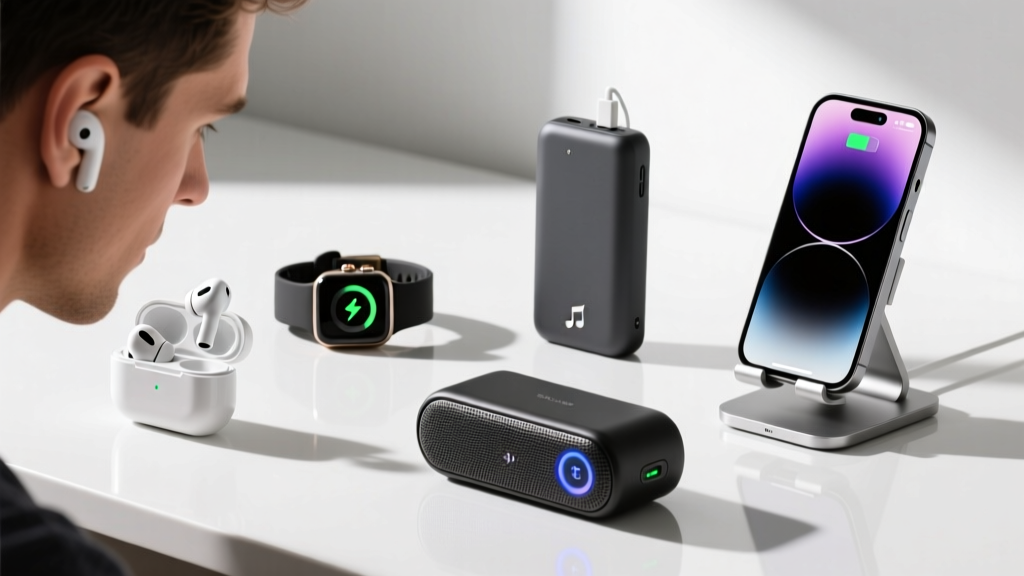

The Paradigm Shift: Redefining Budget Tech in 2026
The phrase "cheap gadgets" used to be synonymous with disposable e-waste. You bought a $30 smartwatch, and three months later, the battery swelled, or the Bluetooth chip died. But as we navigate through 2026, the budget tech landscape has undergone a massive paradigm shift. Driven by matured supply chains, older flagship tech trickling down to entry-level models, and fierce competition among accessory brands, the $25 to $100 price bracket is now a goldmine for high-utility, durable gear.
For the practical man, this means you no longer need to drop $300 on a single piece of tech to get a premium experience. Whether you are outfitting your Everyday Carry (EDC), upgrading your home office, or automating your apartment, the market is saturated with value-for-money hidden gems. This comprehensive buyer's guide cuts through the marketing fluff to bring you a meticulously curated, data-backed framework for buying budget tech that actually lasts.
The Buyer’s Decision Framework: Cost-Per-Use (CPU)
Before we dive into specific models, we need to establish a decision matrix. When evaluating cheap gadgets, price is the wrong metric. Instead, we use the Cost-Per-Use (CPU) framework. CPU is calculated by dividing the purchase price by the estimated number of uses over the product's functional lifespan.
The Golden Rule of Budget Tech: A $40 gadget used daily for two years has a CPU of $0.05. A $20 gadget that breaks after 15 uses has a CPU of $1.33. Always optimize for CPU, not the sticker price.
When browsing for budget-friendly gear, apply these three non-negotiable filters:
- Power Standardization: If it doesn't charge via USB-C (or use standard replaceable batteries like AAA), walk away. Proprietary charging cables are the death of budget gadgets.
- App Ecosystem: Avoid hardware that requires a mandatory, poorly-reviewed companion app just to function. Standalone functionality is king.
- Material Density: Look for polycarbonate, anodized aluminum, or high-denier nylon. Avoid cheap ABS plastics with glossy finishes that scratch and crack.
Tier 1: Everyday Carry (EDC) & Utility Essentials
EDC gear takes a beating. It lives in your pockets, gets dropped on concrete, and is exposed to the elements. Here are two budget champions that punch far above their weight class.
Nitecore NU25 UL Headlamp ($39.95)
When it comes to hands-free illumination, the Nitecore NU25 UL remains the undisputed king of the sub-$50 category. Weighing in at a mere 53 grams (including the headband), it is practically imperceptible when worn. It pushes 400 lumens on its highest setting, which is more than enough for trail running, campsite chores, or emergency car repairs.
According to Wirecutter's extensive headlamp testing, the NU25 UL's dual-beam system (a spot beam for distance and a flood beam for peripheral vision) outperforms many $80+ competitors. It charges via USB-C, features a red-light mode to preserve night vision, and the IP66 rating means it can handle heavy rain without failing.
Anker Soundcore Life P3 True Wireless Earbuds ($49.99)
Finding reliable active noise cancellation (ANC) under $50 is notoriously difficult, but Anker’s Soundcore division has cracked the code with the Life D3. While audiophiles might yearn for high-res LDAC codecs, the everyday commuter will appreciate the punchy, customizable EQ available through the Soundcore app.
Independent testing by RTINGS highlights the Life D3's impressive battery life—clocking in at over 7 hours continuously with ANC turned on, and up to 30 hours with the charging case. The inclusion of a transparency mode and IPX5 water resistance makes these an absolute steal for gym-goers and transit commuters alike.

Tier 2: Workspace & Smart Home Automation
Upgrading your living space doesn't require rewiring your house or buying into a $1,500 ecosystem. These cheap gadgets integrate seamlessly into your existing setup to boost productivity and convenience.
SwitchBot Bot (2nd Gen) ($29.99)
Smart home tech often demands that you replace your existing appliances. The SwitchBot Bot takes the opposite approach: it’s a tiny, battery-powered robotic finger that physically pushes buttons for you. Stick it next to your dumb coffee maker, your bedroom fan, or your PC tower, and use the app (or a voice assistant via a separate hub) to trigger it.
The 2nd Gen model features improved 3M VHB adhesive and a stronger motor capable of pushing stiffer rocker switches. As noted in Tom's Guide's smart home roundups, the SwitchBot Bot is the ultimate bridge for renters who want smart home functionality without losing their security deposit.
Logitech Pebble Keys 2 K380s ($39.99)
For multi-device users, the Logitech K380s is a masterclass in budget productivity. This compact, circular-key keyboard allows you to pair with up to three devices simultaneously via Bluetooth and switch between them with a single button press. The scissor-switch mechanism provides a surprisingly tactile and quiet typing experience, ideal for shared workspaces or late-night coding sessions.
It runs on two AAA batteries that last up to 24 months, completely eliminating the anxiety of keeping a keyboard charged. Its slim profile makes it easy to toss into a backpack alongside a tablet or laptop.

Value vs. Longevity: Comparison Matrix
To help you prioritize your budget, we've mapped our top picks against their expected lifespans and primary use cases.
| Gadget Model | Price (Approx.) | Est. Lifespan | Cost-Per-Use (CPU) | Best For |
|---|---|---|---|---|
| Nitecore NU25 UL | $39.95 | 3-4 Years | ~$0.03 | Outdoors, EDC, Auto Repair |
| Soundcore Life D3 | $49.99 | 2 Years | ~$0.06 | Commuting, Gym, Focus Work |
| SwitchBot Bot 2 | $29.99 | 2-3 Years | ~$0.04 | Renters, Dumb Appliance Automation |
| Logitech K380s | $39.99 | 4-5 Years | ~$0.02 | Multi-device Typing, Travel |
The "Trap" Category: Cheap Gadgets to Avoid
Not all budget tech is created equal. While the gadgets above offer genuine utility, the market is also flooded with traps designed to part you from your money. In 2026, strictly avoid the following categories when shopping in the sub-$100 tier:
- No-Name Smartwatches ($30-$60): They boast "blood pressure monitoring" and "ECG" features that are mathematically impossible with their sensor arrays. The companion apps are often riddled with ads and data-harvesting scripts. Stick to a basic fitness band from Xiaomi or Amazfit instead.
- Ultra-Cheap Power Banks (Under $20): If a power bank claims 30,000mAh but costs $18 and weighs half a pound, it is lying. Worse, the lack of thermal management and proper voltage regulation can fry your expensive smartphone's charging IC. Only buy certified brands like Anker, UGREEN, or INIU.
- "Gamer" RGB Accessories: Budget gaming mice and keyboards often use inferior optical sensors that spin out during fast movements, and membrane keyboards disguised as mechanical. Save your money and buy a wired, no-frills peripheral from a reputable brand like Razer or SteelSeries on sale.
Frequently Asked Questions
Is it safe to buy cheap gadgets from direct-from-manufacturer sites?
Buying direct from brands like UGREEN, Anker, or Nitecore via their official AliExpress or Amazon storefronts is generally safe and often yields the best prices. However, avoid unbranded "white label" electronics from random storefronts, as they bypass safety certifications like UL or CE.
How can I extend the battery life of my budget wireless earbuds?
Lithium-ion batteries degrade fastest when kept at 100% or 0%. To maximize the lifespan of cheap earbuds, try to keep the charge between 20% and 80%. Additionally, wipe down the charging contacts on the earbuds and inside the case with a dry microfiber cloth once a week to prevent charging failures caused by sweat and earwax buildup.
What is the best time of year to buy budget tech?
While Black Friday and Prime Day are obvious choices, the best time to buy budget tech is actually in January and February. This is when companies clear out previous years' inventory to make room for new CES announcements, resulting in massive clearance discounts on already affordable gear.
Written by
Sarah KimSarah Kim holds certifications from both NASM (National Academy of Sports Medicine) and ACE (American Council on Exercise), along with a B.S. in Kinesiology from UCLA. She has spent 7 years bridging the gap between exercise science and consumer technology, evaluating fitness trackers, smart scales, sleep monitors, and recovery devices with clinical precision. Sarah has tested over 200 health-focused wearables in controlled lab settings and real-world training environments, comparing device data against gold-standard medical equipment like ECG monitors and DEXA scans. She consults for three fitness app companies on data accuracy standards and has presented research on wearable reliability at the American College of Sports Medicine (ACSM) annual conference. Her reviews emphasize clinical validity over marketing claims.