Breaking Kids Gadget Addiction: A Parent's Practical Tech Detox Guide
Struggling with kids gadget addiction? Discover practical hardware picks, router controls, and a step-by-step digital detox framework for modern families.
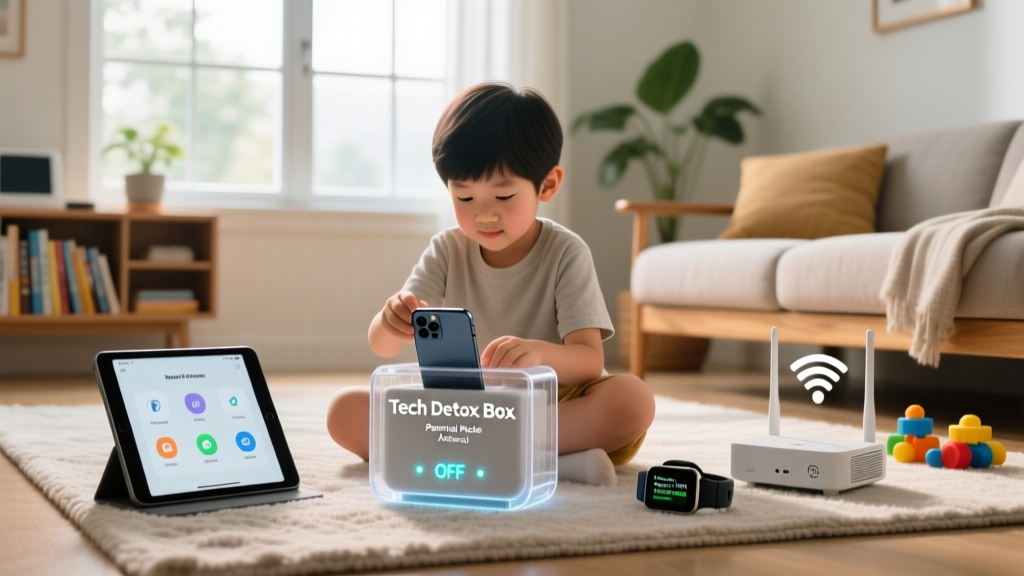

The Neurological Reality of Screen Dependency
If you are battling kids gadget addiction in your home, you already know that simply asking them to put the iPad away rarely works. As of 2026, the digital landscape is engineered for maximum retention. Short-form video algorithms utilize variable ratio reinforcement—the exact same psychological trigger found in slot machines—to keep developing brains locked in a dopamine loop. According to recent census data from Common Sense Media, tweens and teens are averaging over seven hours of recreational screen time daily, not including schoolwork.
Software-based limits like Apple's Screen Time or Google's Family Link are a good first step, but they are fundamentally flawed. Tech-savvy kids quickly learn to bypass them by guessing the 4-digit PIN, exploiting the 'Ask for More Time' prompt, or simply connecting to a neighbor's unsecured Wi-Fi. To truly solve kids gadget addiction, parents must shift from software policing to hardware-level environmental design. This guide provides a concrete, actionable framework and specific product picks to reclaim your family's time.
The 'Hardware First' Approach to Screen Limits
The most effective way to manage internet access is at the network level. By controlling the router, you control the gateway. When the router cuts off the MAC address of your child's device, no amount of app-level hacking will restore their connection.
1. The Network Choke Point: Gryphon AX Mesh Router
Priced at approximately $249, the Gryphon AX Mesh Router is widely considered the gold standard for parental network control. Unlike standard ISP routers that offer clunky, basic scheduling, Gryphon allows you to create distinct 'Profiles' for each child. You can group their smartphone, tablet, and gaming console into a single profile and enforce a hard 'Bedtime' cutoff. When 8:30 PM hits, the router drops their packets at the source. It also features a 'Homework Mode' that blocks entertainment domains while leaving educational portals accessible.
2. The Screen-Free Pivot: Yoto Player (3rd Gen)
You cannot simply remove a high-dopamine device without offering a compelling alternative. The Yoto Player (3rd Gen), retailing around $119, is a masterclass in tactile, screen-free engagement. It uses physical NFC cards to play audiobooks, podcasts, and music. The pixel-art display provides just enough visual feedback without triggering the hyper-stimulation of an OLED screen. It satisfies the child's desire for independent media consumption while completely eliminating the risk of algorithmic rabbit holes.

Comparison Matrix: Top Detox & Control Devices
Choosing the right tool depends on your child's age and your specific pain points. Below is a structured comparison of the most effective hardware solutions available today.
| Device / Tool | Category | Approx. Cost | Best Feature for Detox | Bypass Risk |
|---|---|---|---|---|
| Gryphon AX Router | Network Hardware | $249 | MAC-level grouping & hard cutoffs | Very Low |
| Circle Home Plus | Network Add-on | $89/year | App-level filtering on existing routers | Medium |
| Yoto Player (3rd Gen) | Audio Alternative | $119 | Tactile physical media, zero screens | None |
| Kindle Paperwhite Kids | E-Ink Reader | $159 | No browser, no video, 10-week battery | Low |
| Light Phone II | Dumbphone | $299 | E-ink display, calls/texts only | Low |
The 14-Day Digital Weaning Framework
Cold turkey rarely works and usually results in severe behavioral backlash. Instead, implement this 14-day phased approach recommended by child psychologists to gradually increase 'friction' and reduce dependency.
Phase 1: The Audit and Friction (Days 1-5)
- Day 1-2: The Router Audit. Log into your Gryphon or Circle dashboard. Identify the top 3 data-heavy apps your child uses. Do not block them yet; simply observe the baseline usage.
- Day 3: The Grayscale Protocol. Color is a massive dopamine trigger. Go into your child's device settings (iOS: Settings > Accessibility > Display & Text Size > Color Filters; Android: Settings > Accessibility > Text and display > Color correction) and force the screen into Grayscale. This immediately makes short-form videos and games visually boring.
- Day 4-5: Relocate the Charging Station. Ban all chargers from bedrooms. Establish a centralized 'Power Kitchen' where all devices must be plugged in by 7:30 PM. This eliminates the late-night doomscrolling loop that disrupts circadian rhythms.
Phase 2: The Replacement and Boundary Setting (Days 6-10)
- Day 6: Introduce the Yoto or Toniebox. Place the audio player in the room where the tablet used to live. Seed it with 5-10 highly engaging audiobooks or interactive story cards.
- Day 7-10: Implement 'Tech-Free Zones'. Rather than focusing purely on time limits, focus on spatial boundaries. The dining table and the car (for trips under 30 minutes) become strict no-device zones. The American Academy of Pediatrics strongly emphasizes the importance of device-free meals for family bonding and mindful eating.
Phase 3: The New Normal (Days 11-14)
- Day 11: Activate the Router Bedtime. Now that the baseline habits have shifted, turn on the hard network cutoff at 8:00 PM. Because you've already introduced audio alternatives and removed bedroom chargers, the pushback will be significantly minimized.
- Day 14: The Weekend 'Dumb-Down'. Swap the smartphone for a Kindle Paperwhite Kids or a basic point-and-shoot camera during weekend outings. Encourage them to document the world without the immediate urge to broadcast it to a social feed.

Expert Insights: Why Willpower is a Losing Strategy
'Expecting a 10-year-old to self-regulate on an app designed by a team of PhD behavioral psychologists is like expecting them to eat only broccoli when sitting in front of a buffet of candy. You must change the environment, not just the child's mindset.' — Pediatric Digital Wellness Practitioner
Many parents feel guilty about enforcing strict hardware limits, viewing it as 'spying' or 'over-policing.' However, true digital wellness requires scaffolding. Just as you wouldn't let a toddler wander near a busy intersection without holding their hand, you cannot let a tween navigate the algorithmic wilderness without network-level guardrails. The goal of solving kids gadget addiction isn't to ban technology forever; it is to delay the introduction of highly addictive platforms until their prefrontal cortex has developed the impulse control required to handle them.
Frequently Asked Questions
What if my child uses their phone as a hotspot to bypass the router?
Most modern parental control routers, including the Gryphon AX, can detect and flag tethering or hotspot usage on the network. Furthermore, you should contact your cellular carrier (e.g., Verizon Smart Family or T-Mobile FamilyMode) to disable the mobile hotspot feature on their specific SIM card line.
Are E-Ink devices like the Kindle Paperwhite completely safe from addiction?
While E-Ink drastically reduces eye strain and eliminates video-based dopamine loops, reading compulsively can still interfere with sleep or physical activity. Use the device's built-in 'Bedtime' feature to ensure the screen goes dark at a designated hour.
How do I handle the 'But all my friends have it!' argument?
Acknowledge their frustration without caving. Use the 'Family Values' script: 'I understand that your friends have different rules in their houses, just like they have different bedtimes and chores. In our family, we prioritize protecting your brain's development and making sure we have time to connect with each other.' Consistency and empathy are your best tools here.
Written by
Tom ReynoldsTom Reynolds holds a CFA (Chartered Financial Analyst) designation and a B.S. in Finance from the University of Texas at Austin. Before entering tech journalism, he spent 6 years as a quantitative analyst at a hedge fund, building cost-benefit models for consumer product investments. Tom has maintained a proprietary database of over 10,000 tech deals for the past 8 years, developing his signature "penny-per-feature" evaluation framework that calculates the true value proposition of every gadget. His budget gadget reviews are known for their financial rigor — he tracks price history across 15+ retailers, calculates cost-per-use over 3-year lifespans, and identifies the exact inflection point where premium features justify their markup. Tom's deal alerts have saved his readers an estimated .3 million since 2018.