How to Set Up and Secure Children's Spy Gadgets for Backyard Missions
Learn how to safely set up, calibrate, and secure children's spy gadgets for backyard missions. A step-by-step guide for parents and junior agents.

Why Calibrating Children's Spy Gadgets Matters
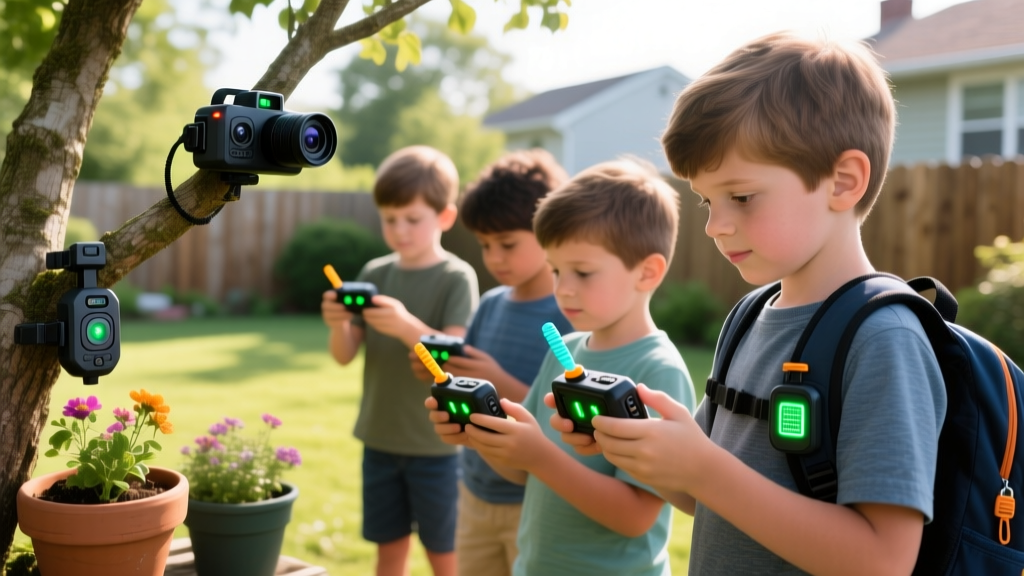
Transforming your backyard into a tactical training ground is one of the most engaging ways to introduce kids to STEM concepts, radio frequencies, and basic electronics. However, unboxing children's spy gadgets and immediately sending kids into the field often leads to frustration: dropped radio signals, unrecorded trail cam footage, and false-alarm tripwires. As a parent and tech guide, I have found that a proper 30-minute setup session turns cheap novelty toys into reliable, mission-ready gear. This tutorial will walk you through configuring a secure, three-tier surveillance and communications basecamp using real-world tech principles.
Essential Gear for a Junior Agent Basecamp
Before we begin calibration, you need the right equipment. Forget the flimsy plastic gadgets from the toy aisle; we are using entry-level professional gear scaled for kids. Here is the recommended loadout for 2026:
| Gadget Tier | Recommended Model | Avg. Cost | Battery / Power | Setup Focus |
|---|---|---|---|---|
| Comms | Retevis RT602 Kids Walkie-Talkie | $32 (Pair) | USB-C Rechargeable | CTCSS Privacy Codes & VOX |
| Recon | Campark Mini Trail Cam | $45 | 4x AA Lithium | PIR Sensor Angles & SD Formatting |
| Perimeter | Elenco Snap Circuits SC-300 | $55 | 2x AA Alkaline | Photoresistor Laser Alignment |
Step 1: Pairing Encrypted Walkie-Talkie Networks
Most children's spy gadgets rely on basic radio frequencies, but out-of-the-box settings leave your kids' chatter open to the entire neighborhood. The Retevis RT602 operates on FRS (Family Radio Service) channels. According to the FCC guidelines on FRS radios, these devices are limited to 0.5 watts on channels 8-14 and 2 watts on others, meaning real-world suburban range is typically 0.5 to 1 mile, not the 16 miles advertised on the box.
Configuring Privacy Codes (CTCSS)
FRS radios use CTCSS (Continuous Tone-Coded Squelch System) to filter out background chatter. Note: This does not encrypt the audio; it simply mutes the speaker unless the receiving radio hears a specific sub-audible tone.
- Turn on both RT602 units and set them to Channel 9 (a mid-range frequency that balances wall penetration and range).
- Access the menu and navigate to QT/DQT (Quiet Tone / Digital Quiet Tone).
- Select a continuous tone code, such as CTCSS 14 (107.2 Hz). Apply this exact code to both radios.
- Enable VOX (Voice-Activated Transmission) on level 3. This allows kids to transmit without pressing the PTT button while their hands are busy navigating obstacles.
Step 2: Mounting and Aligning Motion-Activated Trail Cams
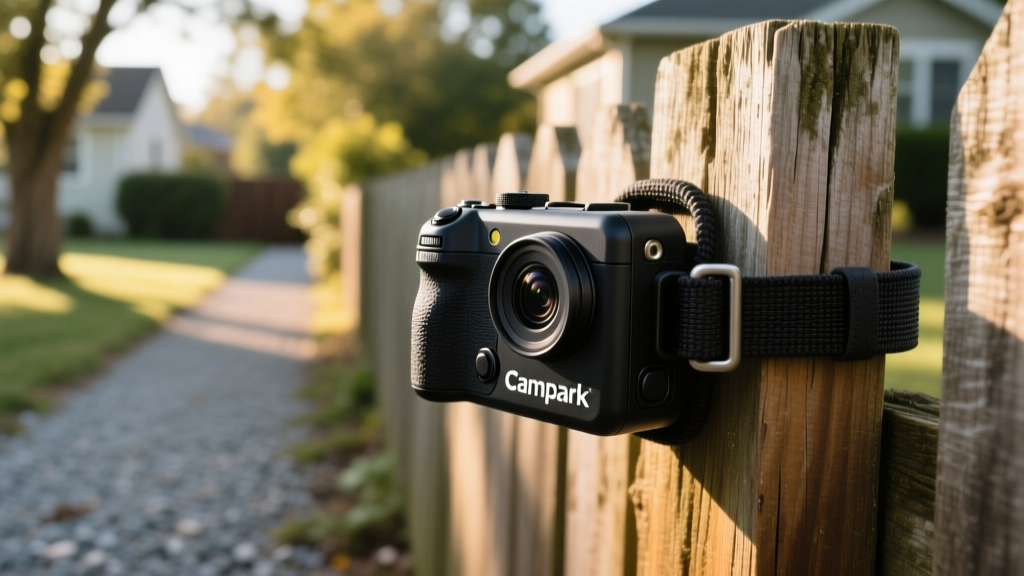
A spy basecamp needs visual reconnaissance. The Campark Mini Trail Cam is perfect for kids because of its compact size and simple interface. However, 90% of setup failures happen due to improper SD card formatting and misunderstanding PIR (Passive Infrared) sensors.
Formatting the SD Card Correctly
In 2026, most budget trail cams still rely on legacy FAT32 file systems. If you buy a modern 64GB or 128GB SDXC card, the camera will not read it out of the box.
- Insert the SD card into your PC.
- Use the official SD Memory Card Formatter tool (not Windows native formatter) to force a FAT32 format.
- Limit the card size to 32GB for maximum firmware stability on entry-level trail cams.
Optimizing PIR Sensor Placement
PIR sensors detect changes in heat differentials, not just motion. If you point the camera at a heat-reflecting wooden fence or a sun-baked brick wall, the shifting afternoon shadows will trigger hundreds of false photos.
Pro-Tip for Parents: Mount the trail cam at exactly 3.5 feet off the ground. This is the optimal height for capturing kids and neighborhood wildlife (like foxes or raccoons) while minimizing false triggers from swaying tree branches above.
Step 3: Building a Safe Laser Tripwire Perimeter
No spy basecamp is complete without a laser tripwire. Instead of buying a pre-made toy that teaches nothing, use the Elenco Snap Circuits SC-300 kit to build a functional light-alarm circuit. This teaches children about electrical resistance, open/closed circuits, and optics.
The Alignment Process
- Build the Receiver: Connect the Photoresistor (RP), the Alarm IC (WC), and the battery snap to the base grid.
- Set the Laser: Use a standard red laser pointer (under 5mW for eye safety) and mount it on a stack of books or a tripod.
- Calibrate the Beam: The laser must hit the exact center of the photoresistor dome. The tolerance is roughly 2mm. When the beam hits the sensor, resistance drops, and the alarm stays silent. When an intruder breaks the beam, resistance spikes, triggering the siren.
- Advanced Routing: Teach your kids basic optics by placing a standard bathroom mirror at a 45-degree angle to bounce the laser around a corner, effectively securing a blind spot in their blanket fort.

Crucial Privacy and Safety Rules for Kids' Surveillance
When deploying children's spy gadgets, digital literacy and ethics are just as important as the technical setup. Many modern smart toys connect to cloud servers, raising significant data privacy concerns. The FTC COPPA guidelines strictly regulate how companies collect data from children under 13.
To keep your kids safe, enforce these three rules:
- Stay Offline: Avoid spy cameras or smartwatches that require a Wi-Fi connection or a third-party app login. Stick to local-storage devices (like the SD-card trail cam) where data never leaves your physical property.
- Establish Boundaries: Clearly define where surveillance is allowed. The backyard and playrooms are fair game; bathrooms, neighbors' yards, and public streets are strictly off-limits.
- Audio Consent: Teach kids that recording private conversations without consent is illegal in many jurisdictions. Walkie-talkies are for real-time coordination, not eavesdropping.
Troubleshooting Common Signal and Sensor Issues
Walkie-Talkie Static and Dropouts
Issue: Audio is breaking up despite being within 500 feet.
Fix: FRS signals struggle to penetrate dense foliage and stucco walls. Switch to Channels 1-7 or 15-22, which operate on slightly different wavelengths that may handle outdoor line-of-sight better. Ensure the antenna is perfectly vertical; bending it reduces range by up to 40%.
Trail Cam Taking Blank Night Photos
Issue: Flash fires, but the photo is pitch black.
Fix: The infrared (IR) cut filter is stuck, or the batteries are failing to provide the voltage spike needed for the IR LEDs. Switch from standard alkaline AA batteries to Energizer Ultimate Lithium AAs. Lithium batteries maintain a steady 1.5V output even in cold weather, ensuring the IR flash charges fully between triggers.
Laser Alarm Triggering Randomly
Issue: The siren goes off when no one is in the room.
Fix: Ambient light interference. If direct sunlight or a passing car headlight hits the photoresistor, it can mimic the laser's intensity and alter the circuit's baseline resistance. Build a small cardboard hood (a lens shade) around the photoresistor to block peripheral light sources.
By taking the time to properly calibrate these devices, you elevate playtime from a simple game of tag into an immersive, educational experience that builds critical thinking, spatial awareness, and technical proficiency.
Written by
Tom ReynoldsTom Reynolds holds a CFA (Chartered Financial Analyst) designation and a B.S. in Finance from the University of Texas at Austin. Before entering tech journalism, he spent 6 years as a quantitative analyst at a hedge fund, building cost-benefit models for consumer product investments. Tom has maintained a proprietary database of over 10,000 tech deals for the past 8 years, developing his signature "penny-per-feature" evaluation framework that calculates the true value proposition of every gadget. His budget gadget reviews are known for their financial rigor — he tracks price history across 15+ retailers, calculates cost-per-use over 3-year lifespans, and identifies the exact inflection point where premium features justify their markup. Tom's deal alerts have saved his readers an estimated .3 million since 2018.