The Best Old Age Gadgets for Independence: 2026 Buyer's Guide
Discover the best old age gadgets for 2026. Our comprehensive buyer's guide covers health monitors, simplified phones, and smart home aids for independence.
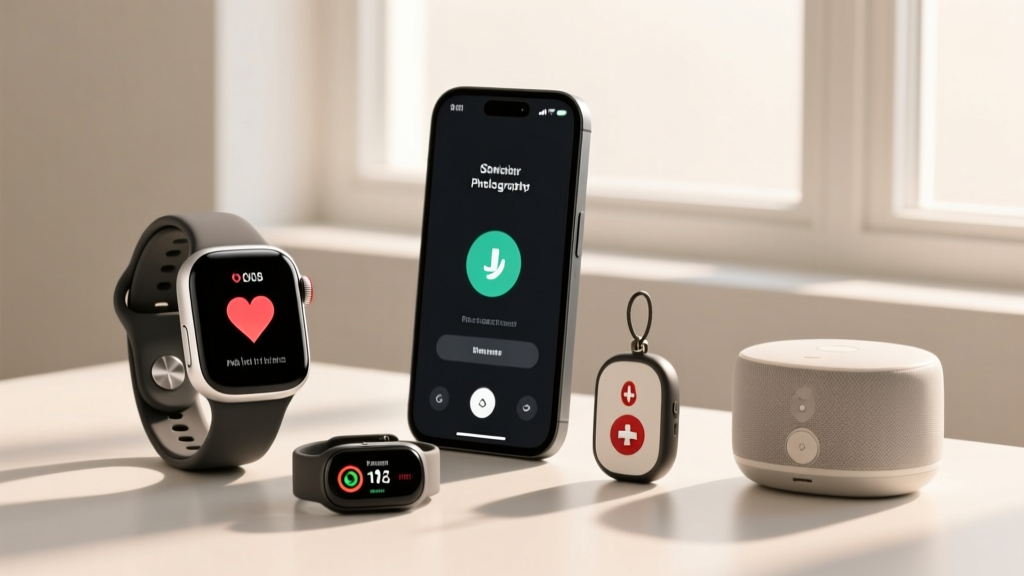

The landscape of assistive technology has transformed dramatically. When shopping for old age gadgets in 2026, the focus has shifted from reactive emergency tools to proactive, independence-boosting ecosystems. Whether you are a caregiver looking to support a loved one or a senior seeking to maintain autonomy, the right technology can bridge the gap between aging in place and requiring assisted living.
According to the National Institute on Aging, over 85% of older adults express a desire to age in their own homes. However, achieving this requires mitigating risks like falls, medication mismanagement, and social isolation. This comprehensive buyer's guide cuts through the marketing noise to evaluate the most effective, reliable, and user-friendly devices available today, complete with real-world pricing, battery metrics, and clinical relevance.
Why the Right Tech Matters for Aging in Place
Not all technology is created equal, especially when cognitive decline, presbyopia (age-related vision loss), or osteoarthritis are factors. A device with a complex touchscreen menu is useless to someone with severe tremors. The best old age gadgets prioritize three core tenets:
- Frictionless Interaction: Voice commands, physical tactile buttons, or automated background sensing.
- High-Contrast Visibility: Displays that adapt to low-light conditions and accommodate macular degeneration.
- Forgiving Power Management: Batteries that last weeks, or charging docks that require zero precise alignment.
Category 1: Health & Vital Monitors
Continuous health tracking is no longer just for athletes. For seniors, monitoring atrial fibrillation (AFib), blood oxygen (SpO2), and sleep apnea indicators can prevent catastrophic cardiovascular events.
Withings ScanWatch 2 Nova
Price: $349 | Battery Life: Up to 30 days | Key Feature: Medical-grade ECG & continuous temperature variation tracking.
Unlike smartwatches that require daily charging—a major hurdle for users with memory impairments—the ScanWatch 2 Nova operates like a traditional analog timepiece but packs FDA-cleared sensors. It detects AFib and mild sleep apnea. Pro Tip: If your loved one's physician utilizes Remote Patient Monitoring (RPM), the Withings ecosystem can integrate directly into Medicare-covered RPM platforms (under CPT codes 99453 and 99454), potentially offsetting the device cost.
Apple Watch SE (3rd Generation)
Price: $249 | Battery Life: 18 hours | Key Feature: High-g accelerometer fall detection and Crash Detection.
For active seniors who already use an iPhone, the SE 3 remains the gold standard for safety. Its fall detection algorithm analyzes wrist trajectories and impact forces to distinguish between dropping the watch and a hard fall, automatically dispatching EMS if the user is unresponsive for 60 seconds.
Category 2: Communication & Cognitive Aids
Social isolation is a silent epidemic among the elderly, carrying a mortality risk comparable to smoking 15 cigarettes a day. The right communication gadgets must eliminate the friction of modern smartphones.
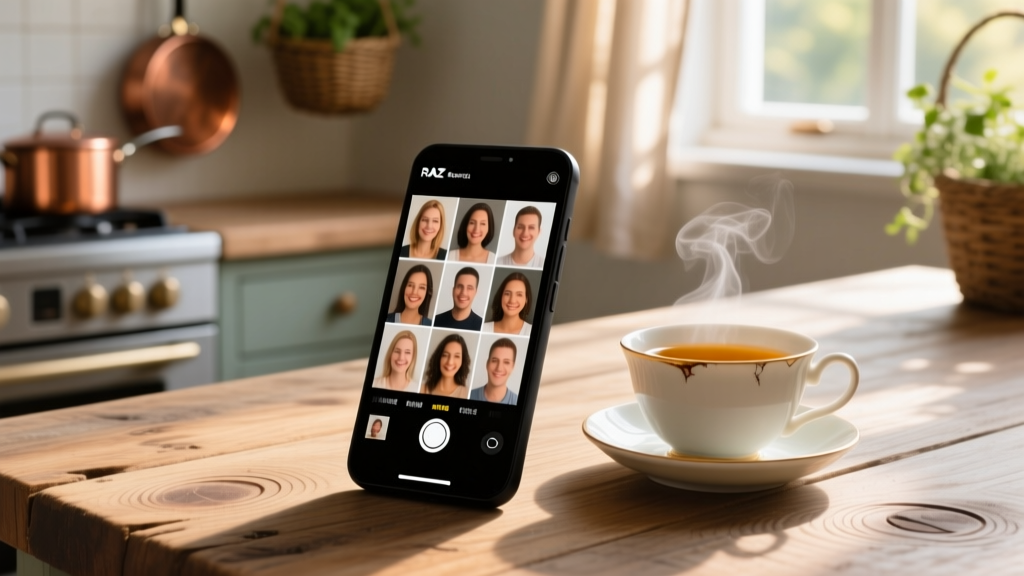
RAZ Memory Cell Phone
Price: $300 + $30/month cellular plan | Screen: 6.1-inch HD | Target User: Mild to severe dementia/Alzheimer's.
The RAZ Memory Phone is a masterpiece of specialized engineering. It does not look or act like a standard smartphone. The home screen displays only large, clear photographs of loved ones. Tapping a face initiates a call. Caregivers can remotely manage the device via a web portal, restricting incoming calls to prevent scams, and pushing GPS location pings if the user wanders. It is arguably the most vital communication tool for memory-impaired seniors on the market.
Amazon Echo Show 8 (3rd Gen)
Price: $149 | Key Feature: Hands-free video calling and visual medication reminders.
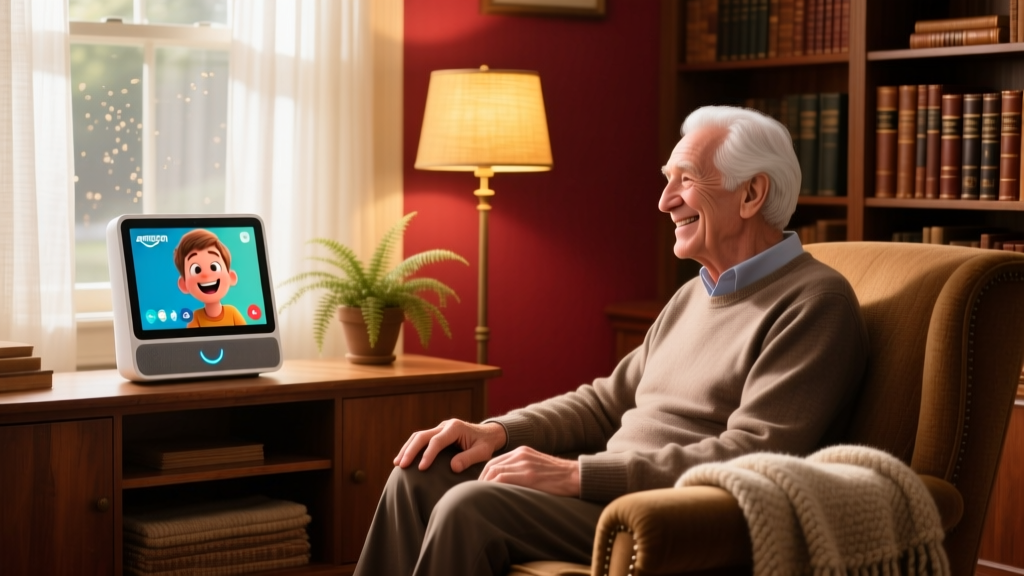
For seniors with limited dexterity who struggle to hold a phone, the Echo Show 8 acts as a stationary communication hub. Using the 'Drop In' feature, family members can initiate two-way video calls that auto-answer, requiring zero action from the senior. Furthermore, Alexa's 'Remind Me' feature can be programmed to display a photo of the specific pill bottle alongside an audible alert.
2026 Comparison Matrix: Fall Detection & Emergency Response
Falls are the leading cause of fatal and non-fatal injuries for older Americans, as noted by the CDC's STEADI Initiative. Choosing the right emergency response system depends on the user's mobility and tech literacy.
| Device / Service | Type | Monthly Cost | Hardware Cost | Best For |
|---|---|---|---|---|
| Philips Lifeline HomeSafe | Pendant / Home Base | $34.95/mo | $49.95 | Seniors who stay mostly at home and want a dedicated, non-smart button. |
| Medical Guardian MGMini2 | GPS Smartwatch | $32.95/mo | Free (w/ contract) | Active seniors who leave the house frequently and need GPS tracking. |
| Apple Watch SE 3 | Consumer Smartwatch | $10-$15/mo (Cellular) | $249 | Tech-savvy seniors who want fall detection without a medical alert stigma. |
| QMedic Alert | Wristband / Base | $29.95/mo | $0 | Seniors prone to removing pendants; features a non-removable clasp option. |
The 3-Step Selection Framework for Caregivers
Before purchasing any old age gadgets, run the device through this practical decision framework to ensure it actually solves the problem without creating new frustrations.
Step 1: Audit the Physical Environment. Does the device require Wi-Fi? If the senior's router is in the basement and they spend time in the attic, a Wi-Fi-dependent camera or smart speaker will fail. Opt for cellular-backed devices (LTE-M or NB-IoT) in homes with spotty broadband.
Step 2: Assess the 'Dexterity Tax'. Can the user operate the device with one hand while wearing winter gloves? If a gadget requires a precise pinch-to-zoom gesture or a tiny recessed reset button, it will end up in a drawer. Prioritize voice interfaces and large physical toggles.
Step 3: Map the Charging Routine. If a device requires daily charging, tie it to an existing daily habit (e.g., placing the smartwatch on the nightstand dock every time they take their evening statin). If the habit cannot be formed, abandon the device for a 30-day battery alternative.
Funding, Insurance, and Assistive Tech
A common misconception is that Medicare does not cover any technology for the home. While traditional Medicare (Part A and B) rarely covers 'convenience' gadgets like smart speakers, it does cover Durable Medical Equipment (DME) and Remote Therapeutic Monitoring (RTM) when prescribed by a physician.
Furthermore, many Medicare Advantage (Part C) plans in 2026 offer 'supplemental benefits' that include an annual allowance for home safety modifications and assistive technology. Always consult with a plan representative or a certified aging-in-place specialist (CAPS) before paying out-of-pocket for high-end medical alert systems or mobility aids. Additionally, state-level Assistive Technology Act Programs (ATAPs) often provide low-interest loans or device lending libraries for seniors to test gadgets before buying.
Frequently Asked Questions
What is the easiest tablet for an elderly person with no tech experience?
The GrandPad remains the top choice in 2026. Priced around $89 with a $40/month service fee, it is a locked-down, 8-inch tablet that comes pre-configured with a wireless charging cradle. It features a simplified interface with only four large buttons: Calls, Photos, Music, and Games. Family members manage contacts and upload photos remotely via a companion app, completely removing the burden of IT management from the senior.
Are smart home sensors invasive for seniors who value privacy?
Privacy is a major concern. Instead of optical cameras, which many seniors find intrusive, look into mmWave (millimeter-wave) radar sensors like the Aqara FP2. These devices map a room using radio waves to detect presence, posture, and falls without capturing any visual images or audio, providing safety monitoring while preserving total visual privacy.
How do I introduce new technology to a resistant senior?
Introduce the gadget as a benefit to you, the caregiver, rather than a crutch for them. For example, instead of saying, 'You need this GPS tracker because you get lost,' say, 'This smart insole helps me feel less anxious so I don't have to call and check on you three times a day.' Framing the tech as a tool for the caregiver's peace of mind drastically increases adoption rates among proud, independent older adults.
Final Thoughts
The best old age gadgets are the ones that fade into the background. Whether it is a smartwatch that monitors heart rhythms silently, or a memory phone that turns complex cellular networks into a simple tap on a loved one's smiling face, technology in 2026 is finally catching up to the nuanced needs of the aging population. By focusing on frictionless design, long battery life, and clinical validity, you can build a tech ecosystem that genuinely extends independence and enhances quality of life.
For more information on creating a safe home environment, review the AARP's Caregiving and Assistive Technology resources to find local grants and support networks.
Written by
Tom ReynoldsTom Reynolds holds a CFA (Chartered Financial Analyst) designation and a B.S. in Finance from the University of Texas at Austin. Before entering tech journalism, he spent 6 years as a quantitative analyst at a hedge fund, building cost-benefit models for consumer product investments. Tom has maintained a proprietary database of over 10,000 tech deals for the past 8 years, developing his signature "penny-per-feature" evaluation framework that calculates the true value proposition of every gadget. His budget gadget reviews are known for their financial rigor — he tracks price history across 15+ retailers, calculates cost-per-use over 3-year lifespans, and identifies the exact inflection point where premium features justify their markup. Tom's deal alerts have saved his readers an estimated .3 million since 2018.