The Best Gadget for Teachers: 5 Cool & Unique Classroom Finds
Discover 5 unique gadgets for teachers that solve real classroom friction, from e-ink grading tablets to zero-latency document cameras and smart displays.
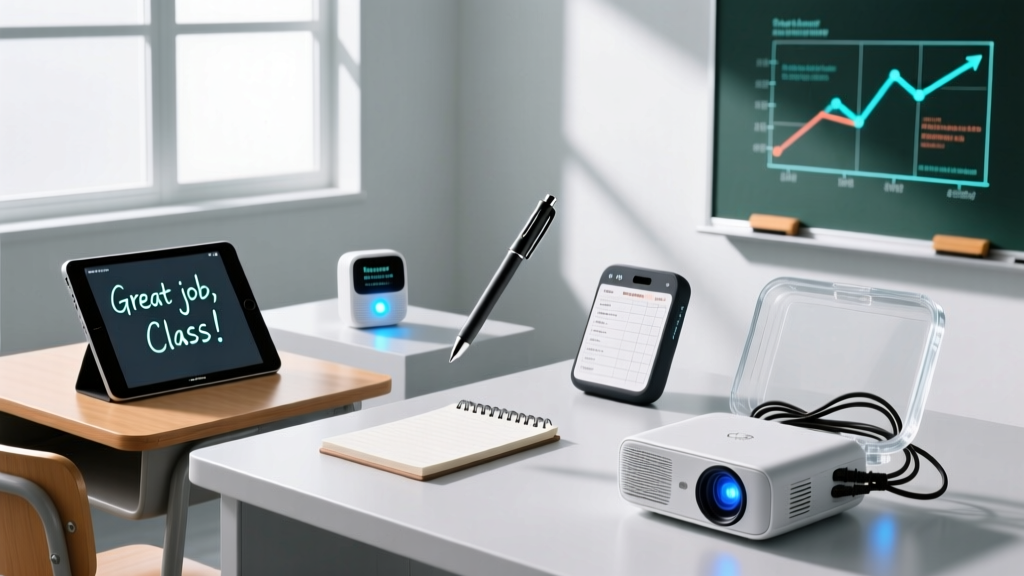
Standard classroom tech—interactive whiteboards and tablet carts—solves baseline engagement, but it rarely addresses the nuanced friction points of daily teaching. Eye strain from grading digital PDFs, latency during live science demonstrations, and the chaos of transition times require specialized hardware. Finding the right gadget for teachers means looking beyond the standard back-to-school tech lists and identifying tools that solve specific pedagogical and ergonomic problems.
Here are four highly specialized, cool, and unique classroom tools that deliver measurable returns on investment through time saved and friction reduced.
1. The Classroom Command Center: Tidbyt Gen 2 Smart Display
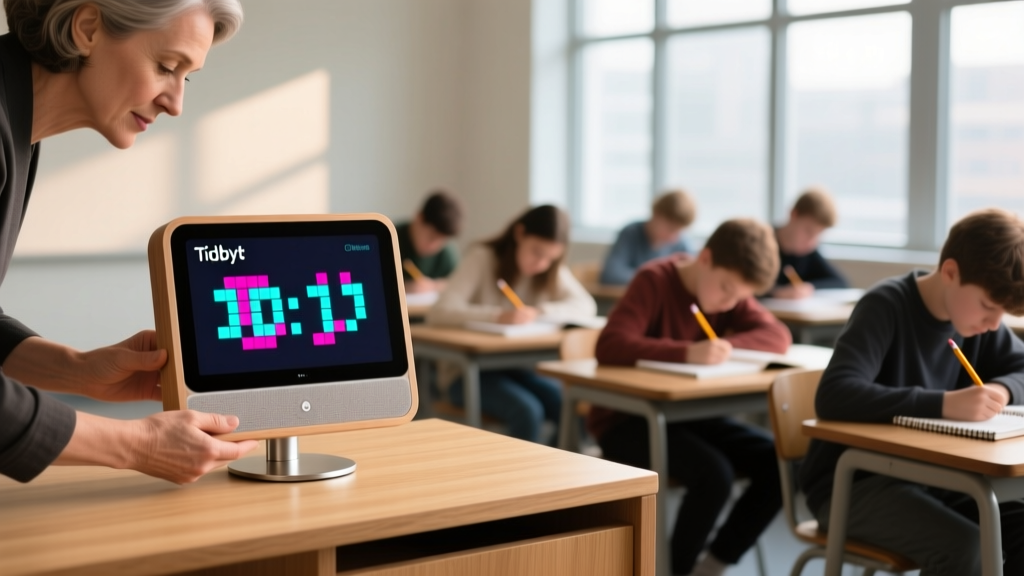
Transition times and schedule management consume up to 15% of instructional minutes. The Tidbyt Gen 2 ($179) is a retro-style, pixel-art LED matrix display that sits on your desk or mounts to the wall, acting as a highly visible, non-distracting classroom dashboard.
Why It Works for Educators
Unlike standard digital clocks or projector timers that require a laptop to run, the Tidbyt connects directly to Wi-Fi and cycles through custom apps. Teachers use it to display:
- Visual Noise Meters: Integrates with smartphone microphones to show a pixelated traffic light when classroom decibels exceed target thresholds.
- Transition Timers: Custom countdowns for group work rotations.
- Weather and Schedule: Recess conditions and daily agenda blocks.
2. The Eye-Saving Grading Station: Boox Note Air 3 C
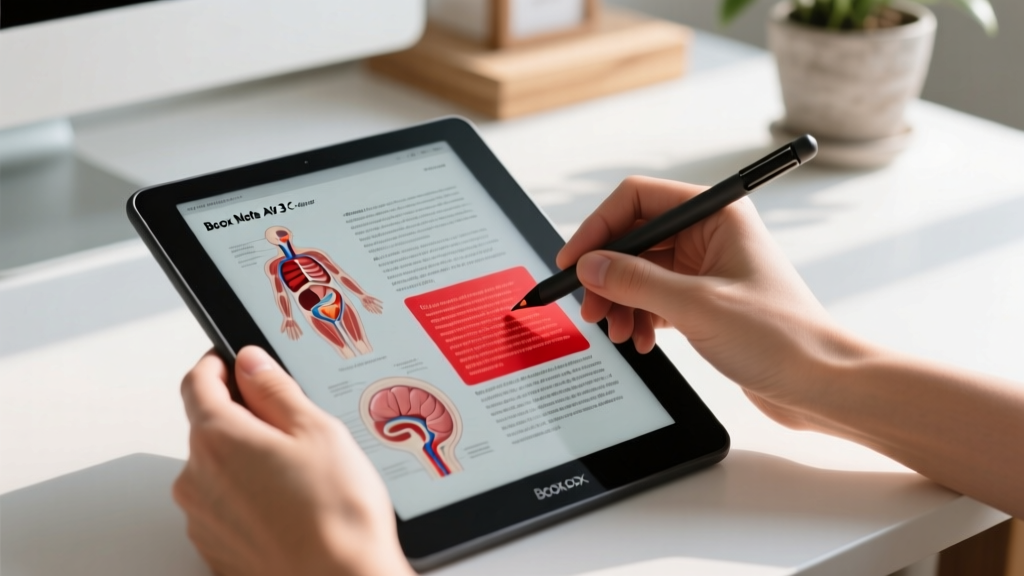
Grading 120+ essays or lab reports on an OLED laptop screen or iPad causes severe digital eye strain, characterized by reduced blink rates and blue light fatigue. The Boox Note Air 3 C ($499) utilizes a 10.3-inch E Ink Kaleido 3 color display, offering a paper-like reading experience with the ability to annotate in color.
Technical Specs & Grading Workflow
The Kaleido 3 technology provides 300 PPI for black-and-white text (crucial for reading student essays) and 150 PPI for color (ideal for grading diagrams, maps, and color-coded rubrics). Because e-ink reflects ambient light rather than emitting it, it completely eliminates the flicker and glare associated with LCD/OLED panels.
"Research consistently shows that prolonged exposure to backlit screens disrupts circadian rhythms and increases visual fatigue, particularly for educators grading late into the evening. E-ink alternatives provide a vital ergonomic intervention." — Common Sense Media, Screen Time Guidelines
Failure Mode: Ghosting and Refresh Rates
E-ink screens inherently struggle with fast scrolling, resulting in "ghosting" (faint remnants of previous pages). The Boox Note Air 3 C features BSR (Boox Super Refresh). Do not leave the tablet in "Ultra Fast" refresh mode while grading. Ultra Fast drops the resolution to prevent ghosting during web browsing, but it degrades text sharpness. Use "Normal" or "Speed" mode for reading PDFs, and only toggle to "Ultra Fast" when navigating the Android interface.
3. Zero-Latency Science Demos: IPEVO VZ-R HDMI/USB Document Camera

Standard USB document cameras suffer from a 0.5 to 1-second delay when routed through a computer to a projector. In chemistry or biology, this latency disconnects the physical action from the visual feedback, ruining the impact of live dissections or titration endpoints. The IPEVO VZ-R ($139) solves this with a native HDMI output.
Hardware Deep Dive
| Feature | Standard USB Camera | IPEVO VZ-R (Dual Mode) |
|---|---|---|
| Sensor | 5MP CMOS (Generic) | 8MP Sony IMX Sensor |
| Connection | USB 2.0 only | Native HDMI + USB-C |
| Latency | 500ms - 1000ms | <50ms (via HDMI) |
| Low Light Performance | Noisy, requires ring light | High ISO capability, built-in LED |
By plugging the VZ-R directly into the classroom projector or smart board via HDMI, the camera bypasses the computer's operating system entirely. This delivers a true zero-latency feed. The 8MP Sony sensor also captures microscopic details in low light without the aggressive digital noise found in cheaper alternatives.
4. Screen-Free Formative Assessment: Plickers Standard Kit
While Kahoot! and Quizizz are popular, they require every student to have a charged device and a stable Wi-Fi connection—a logistical nightmare in underfunded or high-density network environments. Plickers ($60 for a class set) is an augmented-reality assessment system where only the teacher needs a device.
How the AR Scanning Works
Students hold up printed, asymmetrical QR-like cards. The orientation of the card (A, B, C, or D pointing up) dictates their answer. The teacher opens the Plickers app on their smartphone and pans the camera across the room. The app uses computer vision to instantly identify every student's card and orientation, logging the data in real-time.
This aligns perfectly with modern pedagogical frameworks emphasizing immediate, low-stakes feedback loops without increasing student screen time. According to the Edutopia Formative Assessment guidelines, rapid feedback is the most critical component of adjusting instruction mid-lesson, and Plickers achieves this in under 15 seconds.
The Lamination Trap
A common mistake teachers make is laminating the Plickers cards to increase durability. Never laminate the cards. The glossy finish of lamination creates specular highlights under fluorescent classroom lights, blinding the smartphone camera and causing scanning failures. Instead, purchase heavy-duty cardstock sleeves or use matte-finish packing tape only on the very edges of the cards to preserve the matte finish of the QR matrix.
Classroom Tech Investment Matrix
When evaluating these tools, consider the setup time versus the daily time saved. The ISTE Standards for Educators emphasize leveraging technology to design authentic, learner-driven experiences, which requires minimizing time spent on technical troubleshooting.
| Gadget | Cost | Primary Use Case | Setup Time | Daily Time Saved |
|---|---|---|---|---|
| Tidbyt Gen 2 | $179 | Classroom management & transitions | 45 mins (IT whitelisting) | 5-8 mins |
| Boox Note Air 3 C | $499 | Ergonomic PDF grading | 15 mins | N/A (Health benefit) |
| IPEVO VZ-R | $139 | Live science & math modeling | 5 mins | 3 mins (No app loading) |
| Plickers Kit | $60 | Screen-free formative assessment | 20 mins (Rostering) | 10 mins (No device carts) |
Final Implementation Strategy
Do not deploy all four tools simultaneously. Begin with the IPEVO VZ-R for immediate instructional impact in STEM lessons, as it requires zero software configuration. Follow up with Plickers to establish a baseline for formative assessment data. The Tidbyt and Boox are personal workflow optimizations that should be integrated during semester breaks when you have the bandwidth to configure custom APIs and adapt to e-ink refresh paradigms.
Written by
Jake MorrisonJake Morrison holds a B.S. in Electrical Engineering from UC Berkeley and an MBA from Stanford Graduate School of Business. With over 12 years of hands-on experience in consumer electronics, he previously served as a senior product engineer at a Silicon Valley startup before transitioning to tech journalism. Jake has personally tested and benchmarked over 3,000 gadgets across categories including smartphones, wearables, smart home devices, and audio equipment. His durability testing methodology — involving controlled drop tests, thermal cycling, and water submersion — is widely cited by major tech publications. He is a certified CompTIA A+ technician and a contributing editor to the IEEE Consumer Electronics Magazine.